Meet Zetabytecloud CRMA clearer way to manage every opportunity

Compliance built into onboarding

AML & KYC screening
inside your CRM.

Screen every client, their company and the people behind it against sanctions lists, politically exposed persons, criminal watchlists and adverse media, then record every compliance decision on the client file. No separate tool, no copy and paste.

Why it matters in the UAE

Onboarding and compliance
in one place.

UAE businesses covered by the AML/CFT framework, including dealers in precious metals and stones, real estate brokers, corporate service providers and many trading companies, are expected to screen customers against targeted financial sanctions lists, identify politically exposed persons and apply enhanced due diligence to higher-risk clients.

When screening happens in a spreadsheet or a separate website, the result rarely makes it back to the client record. Zetabytecloud CRM runs the checks where your team already works, and keeps the evidence with the client.

  • Automatic screening of every new client, from any channel.
  • Shareholders, directors and signatories screened too.
  • Compliance decisions recorded with a written reason.
  • A client cannot be approved while a match is unreviewed.

What is screened

Every check your onboarding needs.

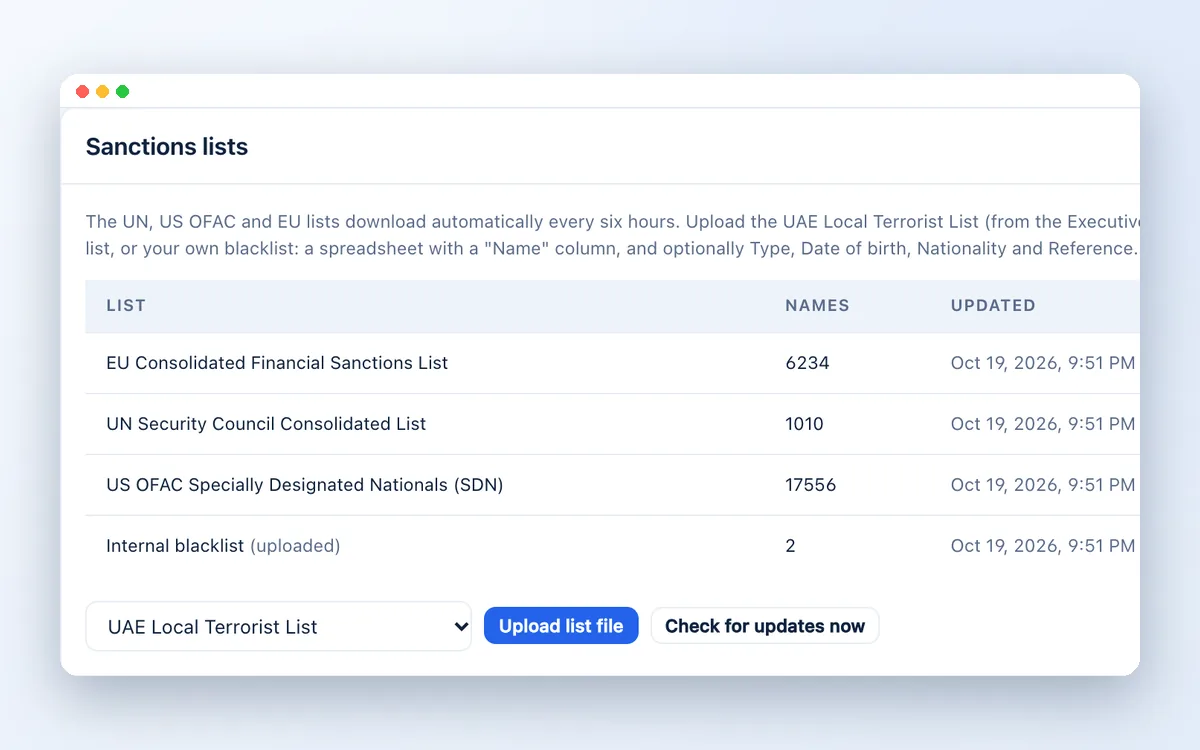
Sanctions lists in use: EU, UN Security Council, US OFAC and an internal blacklist

Sanctions lists

The UN Security Council Consolidated List, US OFAC SDN and the EU Consolidated Financial Sanctions List download automatically every six hours. Your compliance team uploads the UAE Local Terrorist List, the UK list and any internal blacklist.
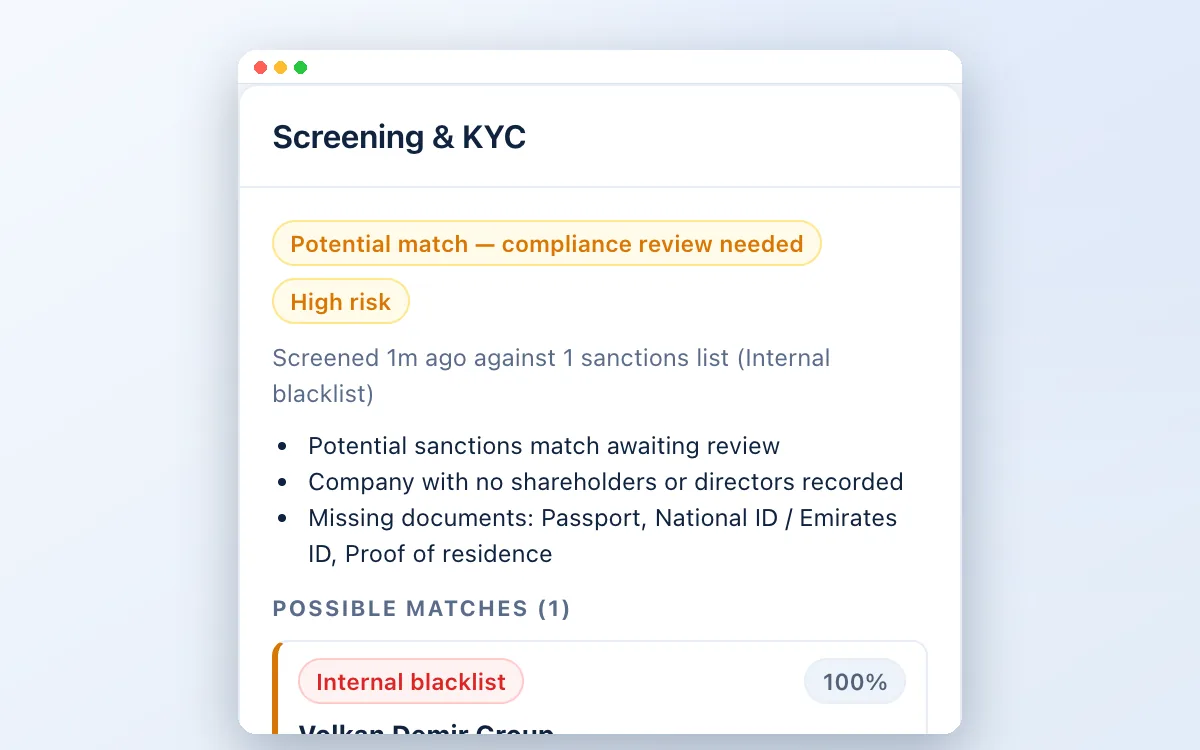

Client screening result showing a potential sanctions list match for compliance review

PEP and criminal watchlists

Politically exposed persons in more than 200 countries, with relatives and close associates, plus Interpol and national wanted lists and regulatory enforcement, through an OpenSanctions connection or a copy hosted in your own cloud.

Professional reading at his desk in a bright office

Adverse media

Worldwide online news in 65 languages, searched for each client's name together with financial-crime terms such as fraud, money laundering and bribery. Compliance marks each article as relevant or not.

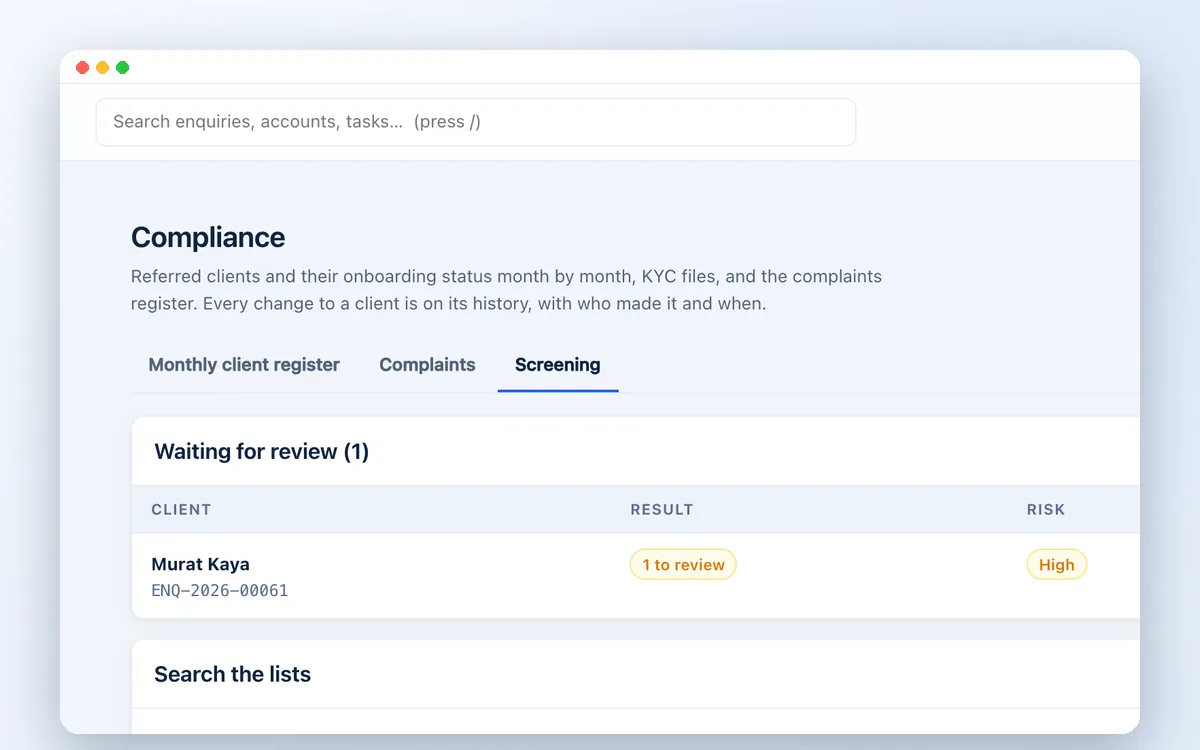
Compliance review queue and search across sanctions lists

Name matching that understands Arabic names

Mohammed, Muhammad and Mohamed match, as do Hussein and Husain, in any word order and with or without Al-. Date of birth and nationality separate real matches from same-name strangers.

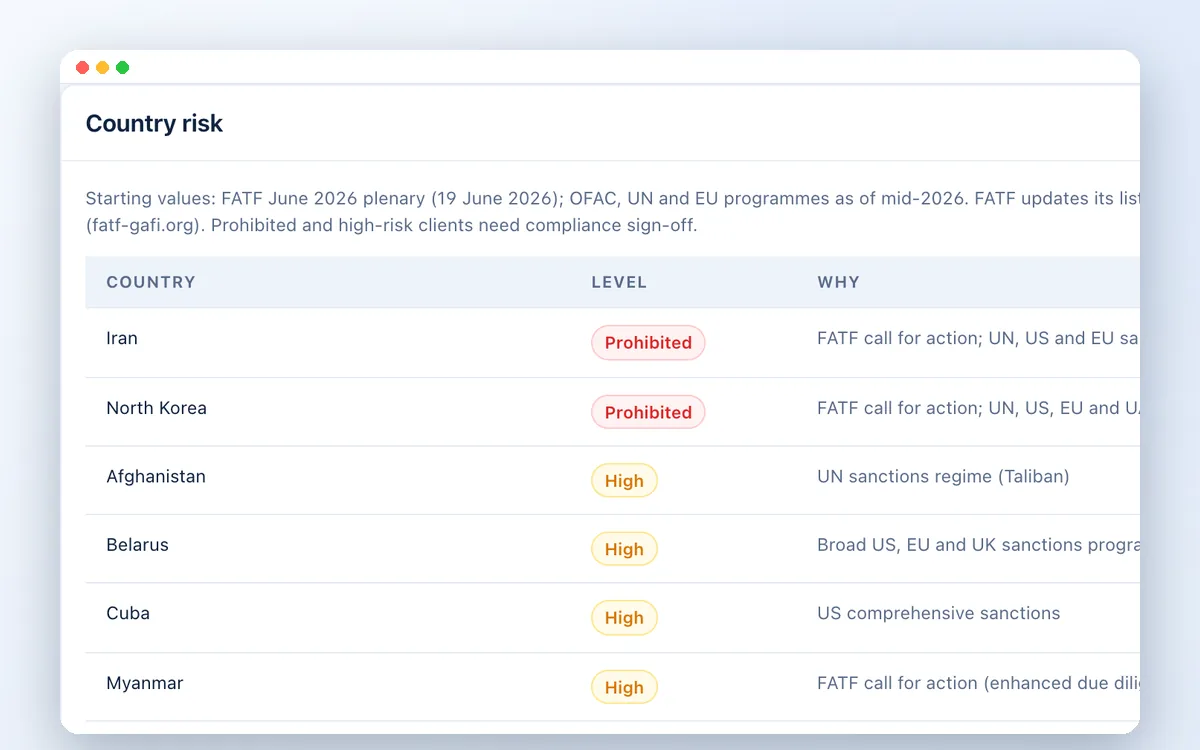
Country risk table with prohibited, high and increased-risk countries

Country risk and conflict checks

Prohibited, high-risk and FATF grey-list countries are flagged from a table your compliance team controls. The conflict check finds a client already on file under another salesperson, or linked to a member of staff.

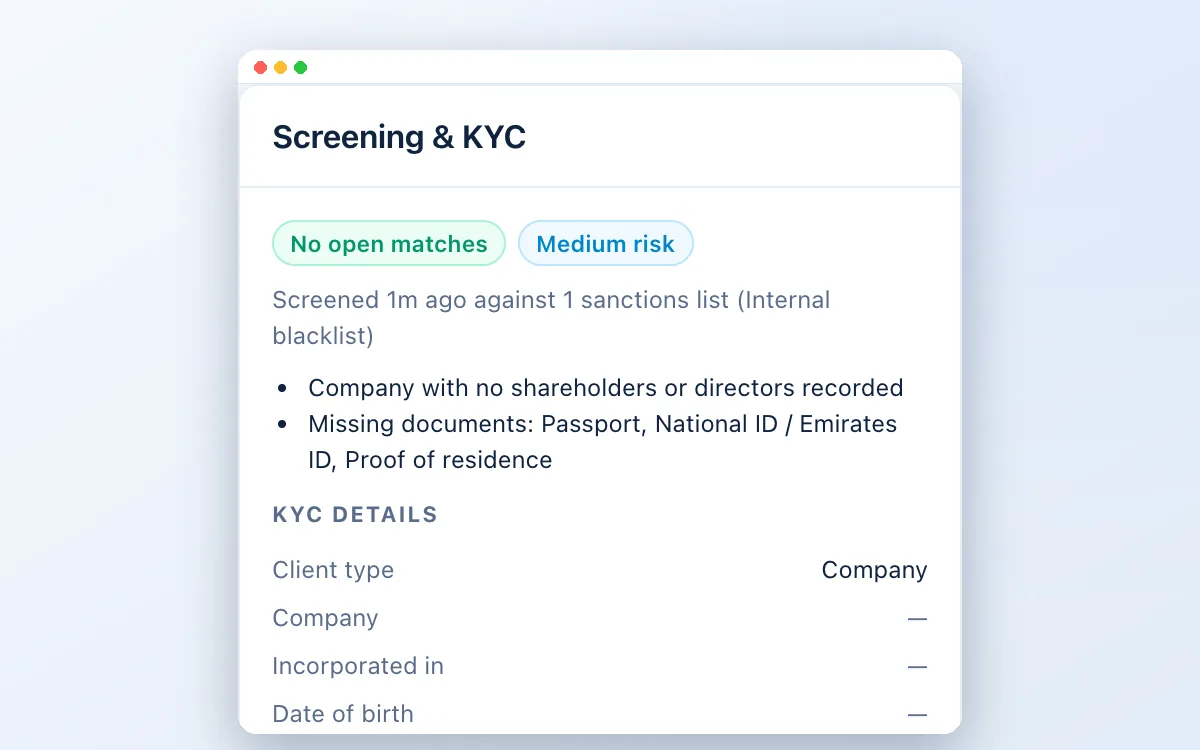
Screening and KYC panel on a client with risk level and missing documents

Police clearance and KYC documents

Record passport, Emirates ID, proof of residence and a police clearance (good conduct) certificate, with expiry dates. Missing or out-of-date documents raise the client's risk level.

How it works

From capture to account opening.

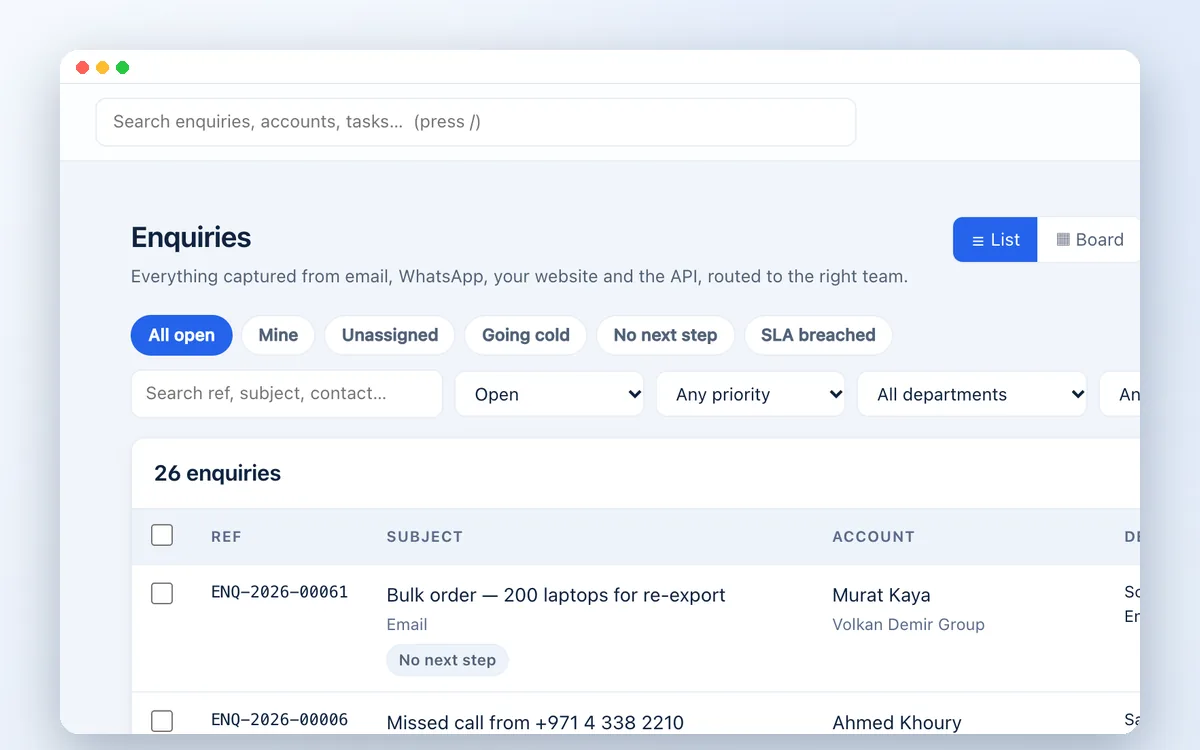
Enquiry list with source, owner, score and priority for each enquiry

1. Client captured

An enquiry arrives by email, WhatsApp, phone or your website and becomes a client record.

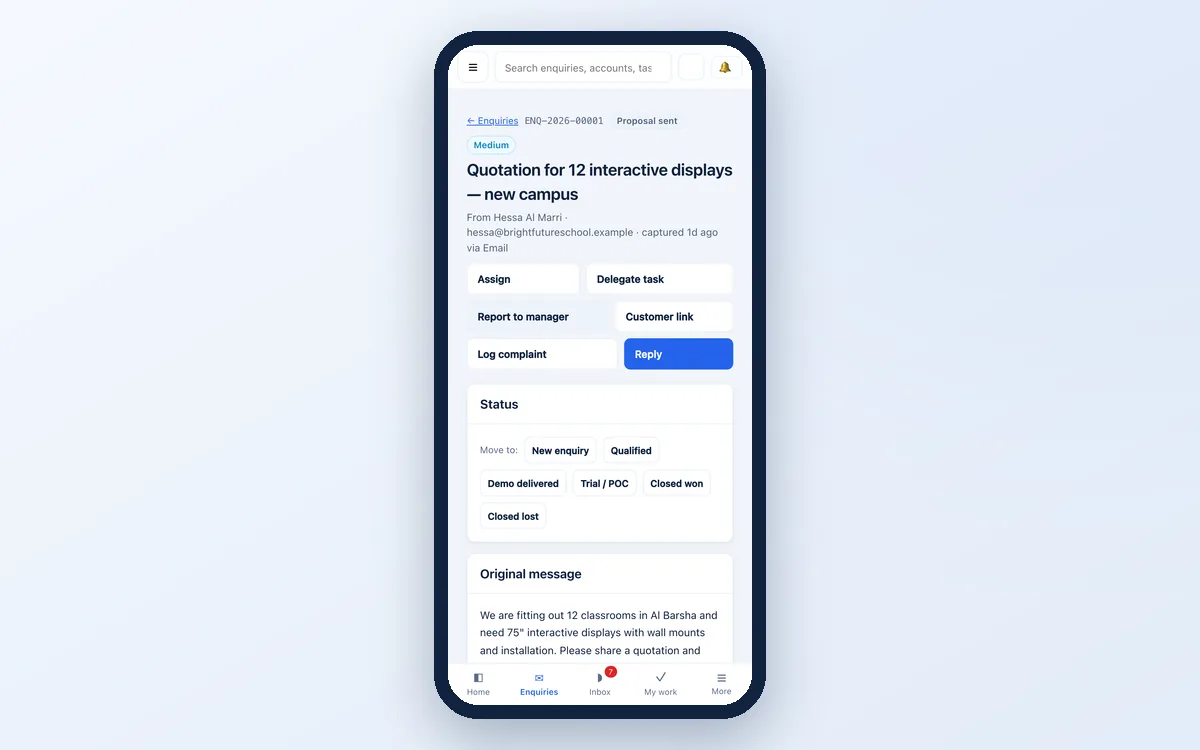
An enquiry record in the CRM on a phone

2. KYC details entered

Your agent adds identity, nationality and company owners, on a PC or a phone.

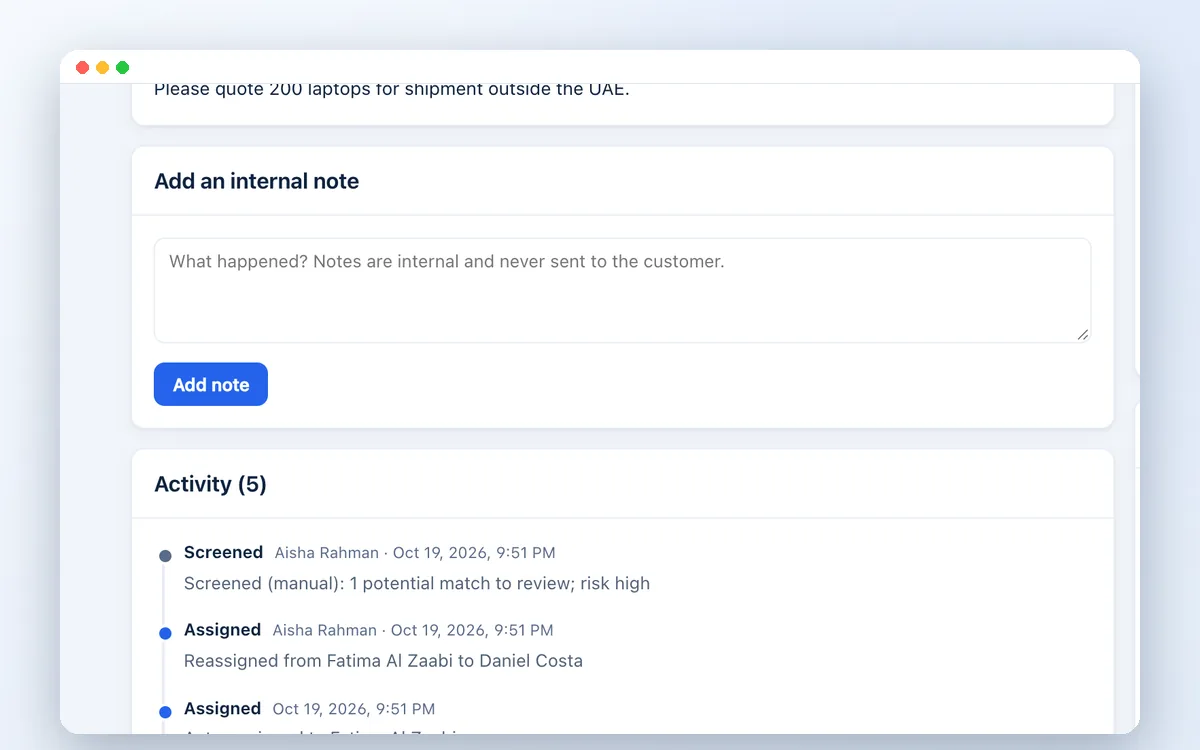
Enquiry flagged by screening with a potential match awaiting review

3. Automatic screening

Every party is screened against sanctions, PEP, watchlists, news and country risk.

Compliance review queue and search across sanctions lists

4. Compliance review

Potential matches are cleared or confirmed with a reason. High-risk clients need a sign-off.

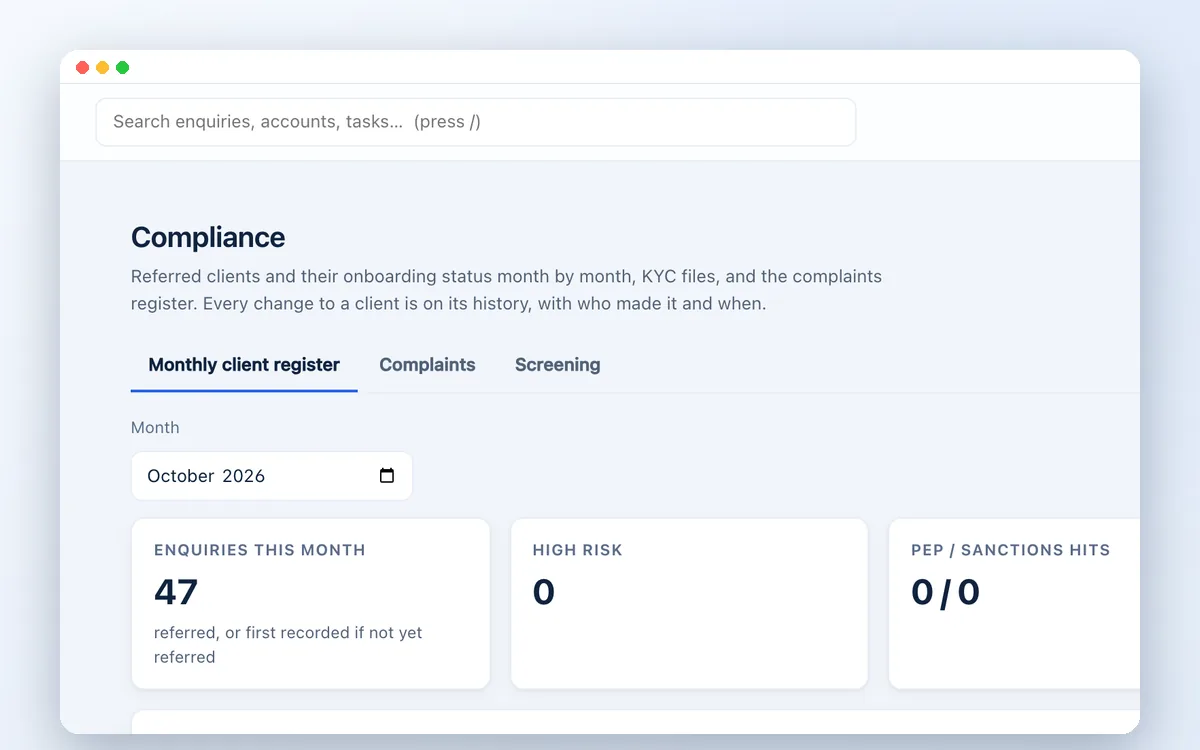
Monthly client register with KYC, PEP and sanctions status per client

5. Approved, with evidence

The client moves forward, and every screening run stays on file for audits.

A few useful answers

Questions we hear.

Does this replace our compliance officer?

No. The system flags and records; a person decides. Every potential match is reviewed by your compliance team, and their decision and reason are kept on the client file.

Which sanctions lists are included?

The UN, US OFAC and EU lists are downloaded automatically and free. The UAE Local Terrorist List and UK list are uploaded by your team as CSV files. PEP and watchlist data come from OpenSanctions, which is charged by the provider per check or as a yearly licence.

Can we search a name before someone becomes a client?

Yes. Compliance can search any name, alias or list reference across all your lists, with every search recorded in the audit log.

Can the data stay in the UAE?

Yes. The CRM can be installed in your own cloud, for example Microsoft Azure UAE North, so client files and documents stay in-country.

Is this legal advice?

No. The CRM supports your AML/CFT procedures; your obligations depend on your business and regulator. Speak to your compliance adviser about what your programme requires.

Watch the workflow

Client screening in the workflow

Explore potential-match review and screening tools alongside the customer record.

Explore the complete CRM walkthrough ↗
Feature demo · 0:31

Client screening in the workflow

Explore potential-match review and screening tools alongside the customer record.

Let’s move your business forward

See it working on your own process.

Book a short demo. Tell us your team size, channels and what you need to check.

Book a CRM demo