Feature demo · 0:40
From quote to tax invoice
Follow an accepted quotation through the sales order and invoicing workflow.

Zetabytecloud CRM / available now
Bring customer enquiries, team conversations and sales follow-ups together. Zetabytecloud CRM helps growing businesses give every opportunity an owner, a history and a next step.
Keep the whole journey in view
When customer conversations are spread across inboxes, spreadsheets and individual phones, follow-ups become harder to manage. A shared CRM brings the context together so your team can respond with confidence.
 Zetabytecloud CRMYour enquiry workflow
One organised inbox
A clear next owner
Conversations to quotes
A connected process, from enquiry to insight.
See Zetabytecloud CRM in action
Watch the complete 8-minute walkthrough, or jump to the part that matters to your team. Explore enquiries, WhatsApp, quotations, invoices and reporting in the platform.
Recorded with demonstration data. On-screen captions are included; a text transcript is available below. Product availability and configuration depend on your selected plan and integrations.
[Dashboard] Open enquiries, new today, unassigned and SLA breaches — at a glance.
[Dashboard] First response time and win rate keep the team honest.
[Pipeline] Your pipeline in AED: open value, weighted forecast and what was won this month.
[Pipeline] “Needs a push” lists the deals going cold or with no next step booked.
[Trends] Enquiry volume over the last 14 days, by channel.
[Enquiries] Email, WhatsApp, your website form and phone calls all arrive here, routed to the right team.
[Enquiries] Quick views: mine, unassigned, going cold, no next step, SLA breached.
[Enquiries] Each enquiry gets a score, a priority and an owner automatically.
[Pipeline board] Prefer a board? Drag cards from stage to stage — the pipeline value follows.
[Routing] Routing rules decide who gets what — by keywords, source or priority — with a catch-all at the end.
[Response times] Never miss a lead: an enquiry nobody touches moves to the next free person automatically.
[Enquiry record] The original message, status, owner, department and value — all on one page.
[Status] Move it through your pipeline with one click.
[Notes] Add an internal note — the customer never sees it.
[History] Every change is on the activity timeline: who did what, and when.
[Screening & KYC] Client screening and KYC sit right beside the deal.
[Inbox] Every WhatsApp conversation on your business number, shared across the team.
[Ownership] Each chat has one owner, so nobody answers twice and nobody is forgotten.
[Follow-up] Unread counts, “their turn”, snooze, and the 24-hour messaging window shown on every chat.
[Linked to the CRM] And every conversation is linked to its enquiry, contact, tasks and quotes.
[Calls] Connect your cloud phone system and every call lands on the right client — no typing.
[Call reports] Calls, missed calls and talk time per agent.
[Recordings] Play the recording right from the call log.
[My work] A missed call from a client becomes a high-priority call-back task for their owner.
[Quotes] Quotes and proposals — awaiting a decision, accepted, and your acceptance rate.
[New quotation] Pick an existing client, or type a new one — no lead needed.
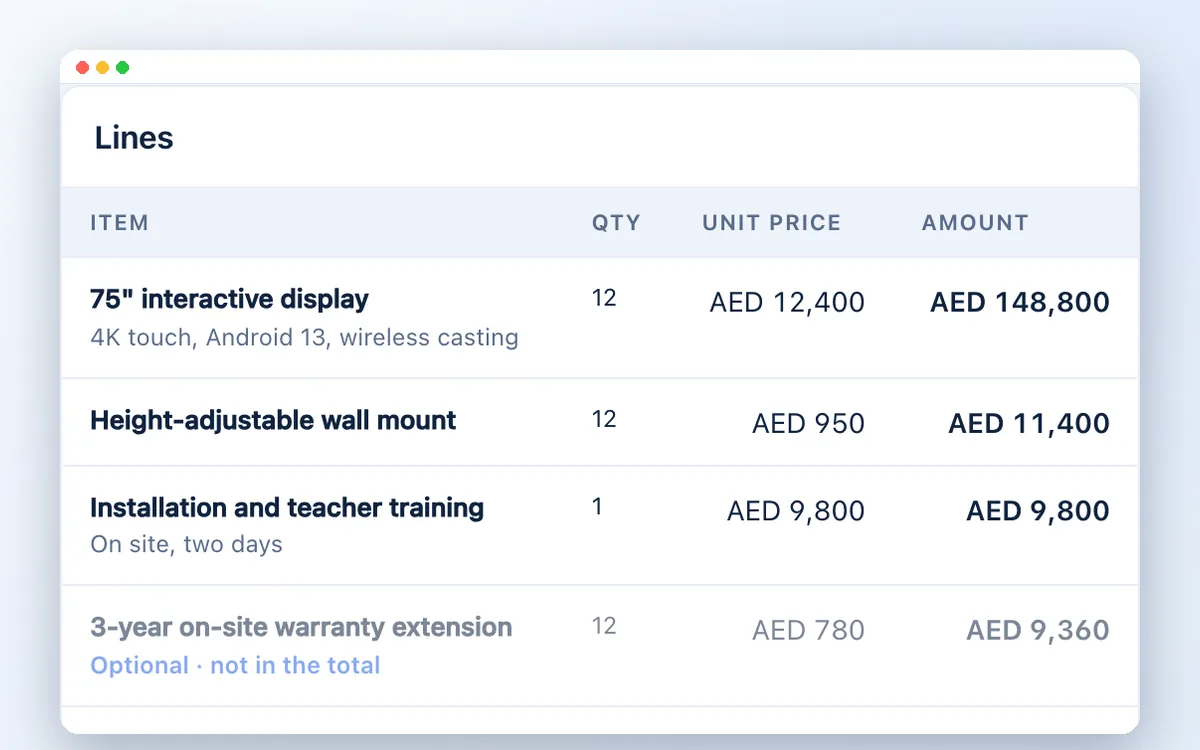
[Lines] Add the items. Prices come from your price list, VAT 5% is applied for AED.
[Optional items] Mark an extra as optional: it is listed separately, outside the total — the client can add it.
[Send] Saved, numbered and ready. Send it by email, WhatsApp or a link — or DocuSign.
[Client view] This is what your client sees: your logo, your TRN, the amount in words — and an Accept button.
[Client view] Optional items appear in their own table, not in the total.
[Accepted online] The client ticks what they want, types their name and accepts — recorded with time and IP.
[Won] Accepted. The enquiry moves to won, at the accepted figure — automatically.
[Quote] The accepted quote, with the warranty the client added.
[Sales order] One click turns it into an internal sales order — an exact copy of what was agreed.
[Hidden charges] Add the costs behind the deal: freight, customs, commission, subcontractors.
[Margin] Gross profit and margin are known before the work starts — not discovered after.
[Tax invoice] When the goods are delivered, create the tax invoice straight from the order.
[Tax invoice] Client TRN, address and emirate — everything Article 59 of the VAT regulation asks for.
[Tax invoice] Issued with a sequential number. It can never be edited — exactly as UAE VAT law requires.
[E-invoicing] Ready for UAE e-invoicing: download it as a PINT AE file for your accredited service provider.
[Send] Email it to the client with the PDF attached — then mark it paid when the money arrives.
[Credit notes] A mistake, or a return? Issue a tax credit note — for all of it, or just some lines.
[Credit note] The credit note shows the original value, the correct value, the difference and the VAT on it.
[Screening] Every client — and the owners behind them — is screened against UN, OFAC, EU and UAE lists.
[Review] A potential match is held for review. Your compliance team decides, with a reason on record.
[Lists] Sanctions lists refresh automatically every six hours. Upload the UAE local list or your own blacklist.
[Country risk] Country risk follows FATF, UN, US and EU programmes — and your team controls the table.
[Marketing] Revenue by channel — from the campaign, to the enquiry, to the won deal.
[Campaigns] Cost per enquiry and return on every campaign, from Google Ads to click-to-WhatsApp.
[Reports] Fourteen ready-made reports. Run one for any period, export to PDF or Excel, or email it on a schedule.
[Reports] The executive summary: enquiries, revenue won, win rate and response times.
[Country & currency] Choose your country: United Arab Emirates sets dirhams and Dubai time for you.
[Branding] Upload your logo once — it prints on every quotation and invoice.
[Quote defaults] Your address, TRN, bank details, terms — and automatic or your own quotation numbers.
[Team] Invite your team with the right role: agents see their own work, managers their team.
A closer look
Short, captioned demonstrations from the CRM platform.
Follow an accepted quotation through the sales order and invoicing workflow.
See how enquiries, WhatsApp conversations and calls connect to your team.
Explore potential-match review and screening tools alongside the customer record.
Explore the CRM workflow
01 / 05Bring enquiries from email, WhatsApp and your website into a shared pipeline. Keep the conversation and its next step together.
Select a stage above to explore. Screens illustrate the product workflow.
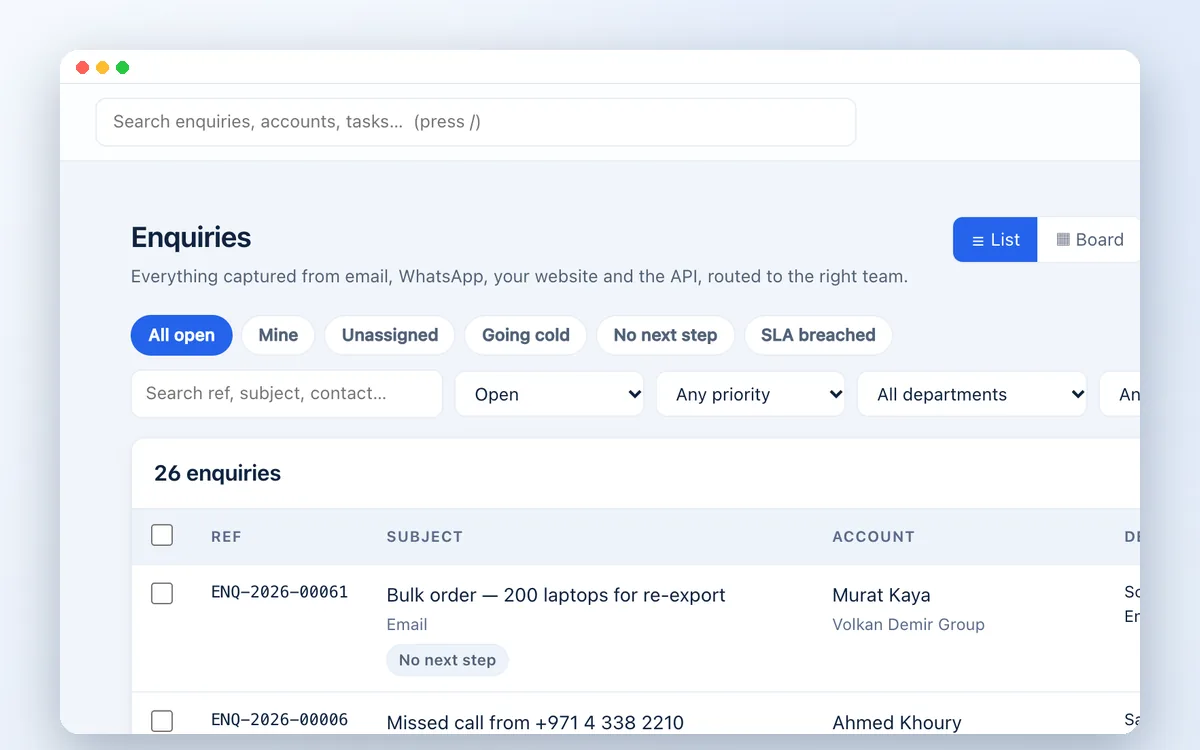
From first contact to business insight

Bring email, WhatsApp, website forms, API submissions and manually logged enquiries into one organised pipeline.
Microsoft 365 and Gmail connections; shared mailbox intake; website capture widget; CSV import; conversation threading and duplicate prevention.
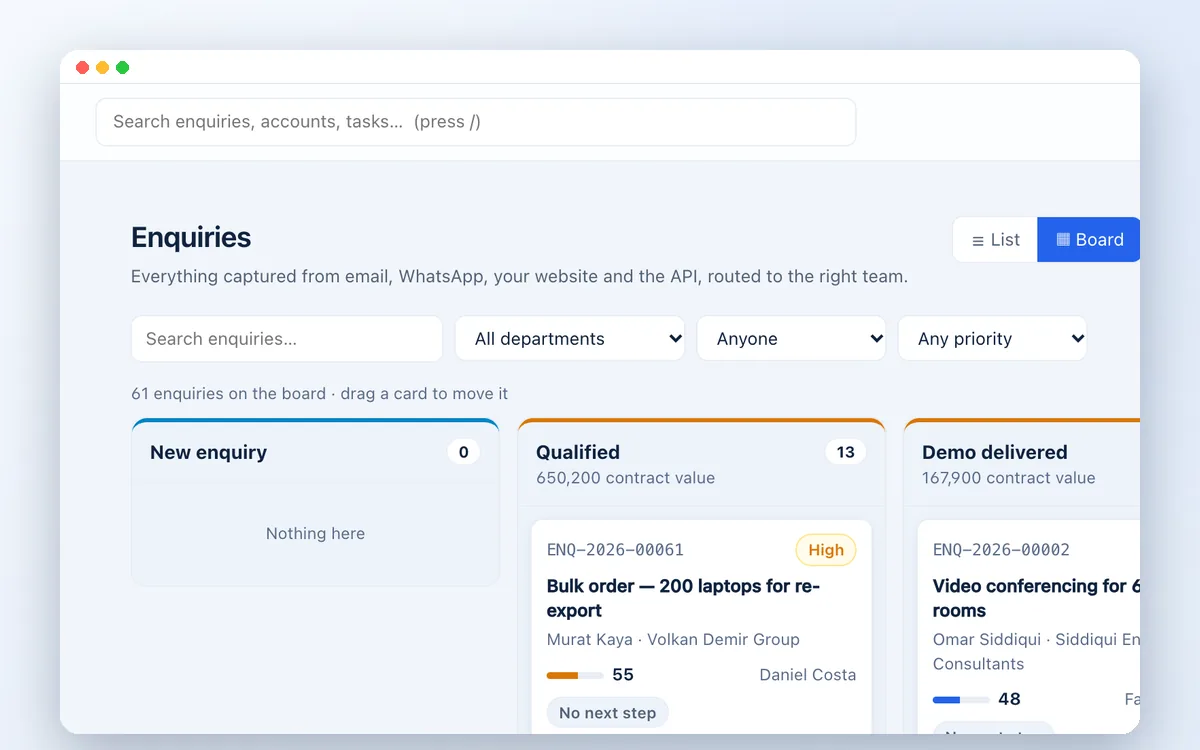
Start with an industry blueprint, then adapt the stages, terminology and fields to the way your business works.
16 industry blueprints; configurable departments and response targets; custom fields; list and Kanban views; editable pipeline stages.
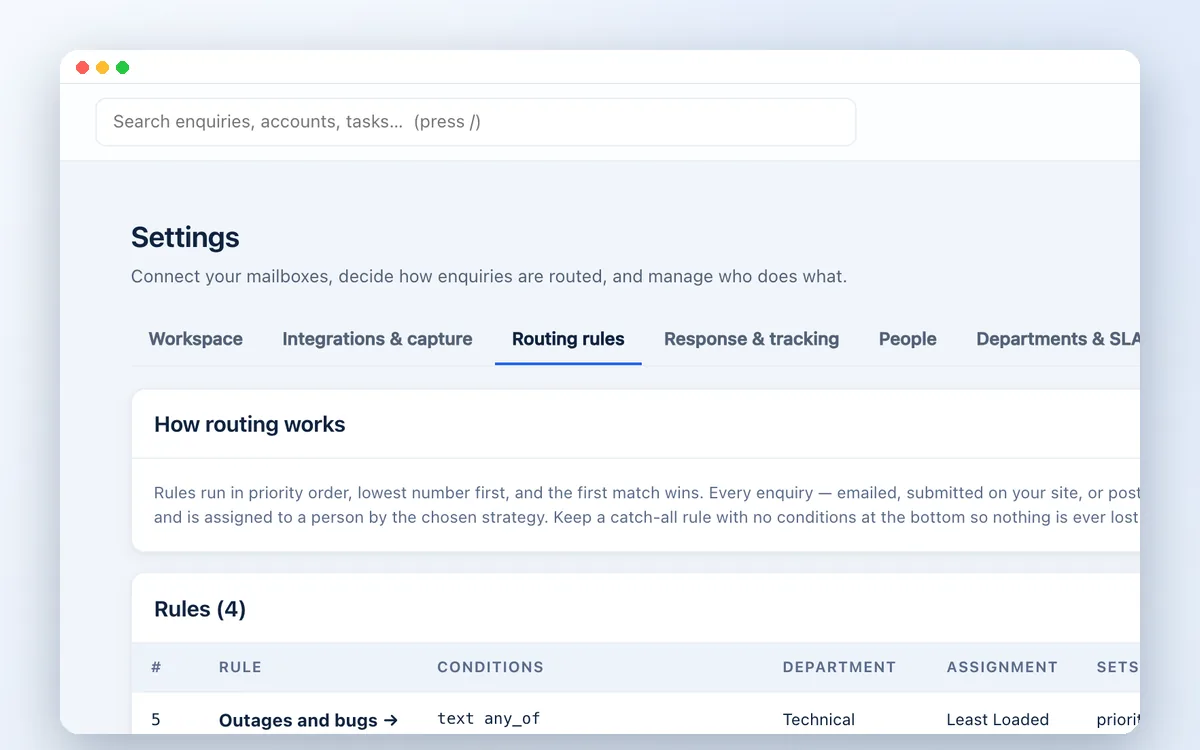
Route enquiries by priority and business rules, with clear ownership and visibility across the team.
Round-robin, least-loaded or named-person assignment; explainable lead scoring; rule testing; business-hours response targets; overdue escalation.
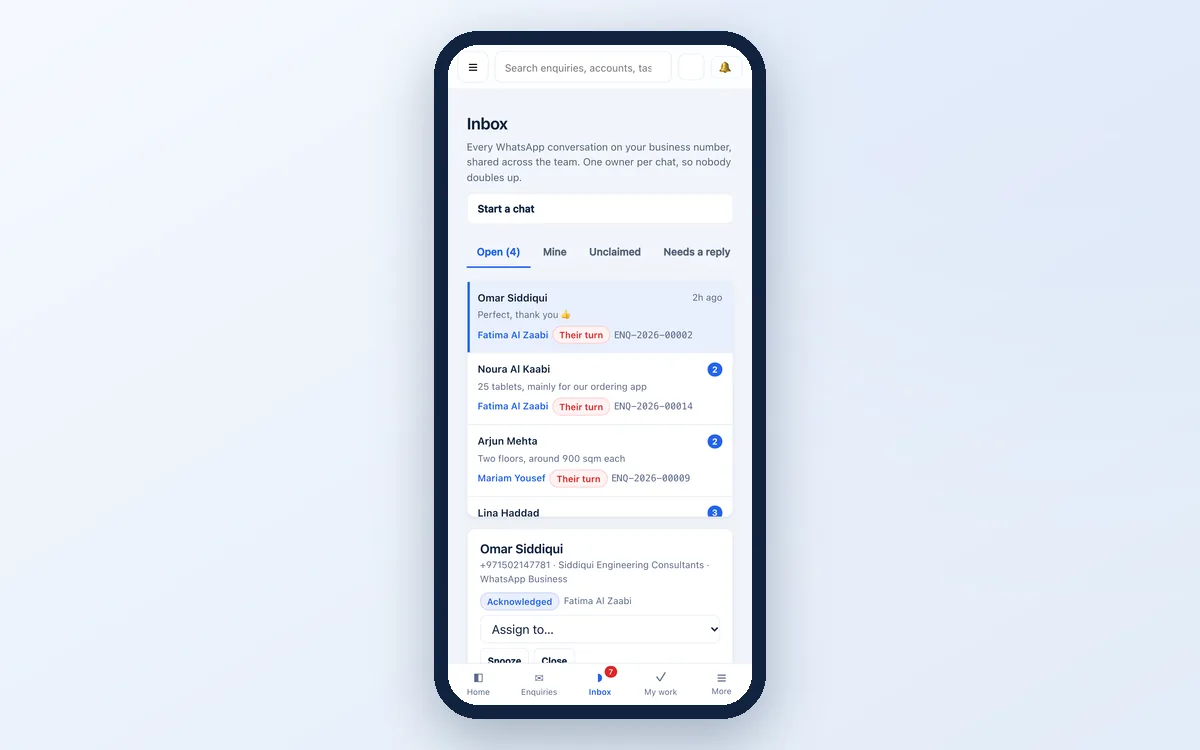
Let your team work from one business number with clear conversation ownership and follow-up visibility.
Claim and assign conversations; delivery and read receipts; snooze and follow-up views; approved-template selection; visibility of the messaging window.
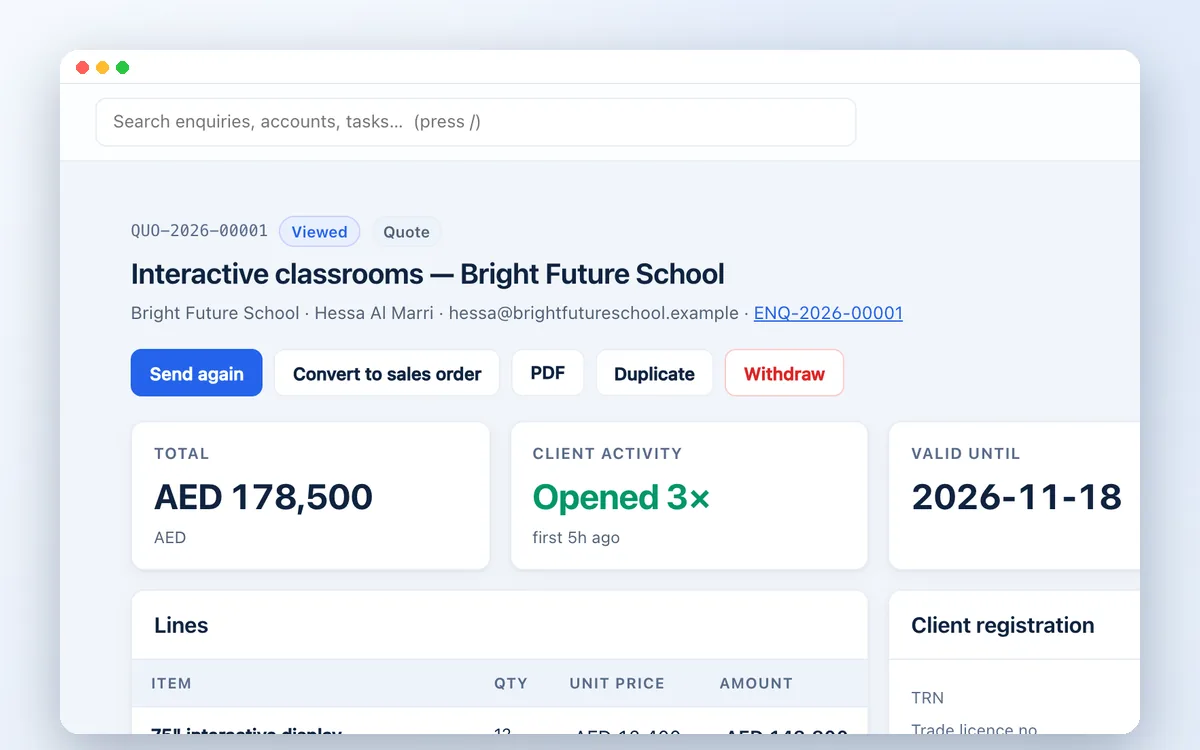
Create quotations and proposals, obtain internal approval, and let customers review and accept online.
Your logo on every quotation; automatic or your own quotation numbers; reusable price lists; discounts and tax calculations; optional items listed outside the total for the client to add; PDF documents; email, WhatsApp and shareable-link delivery; DocuSign connection; expiry and revision controls.
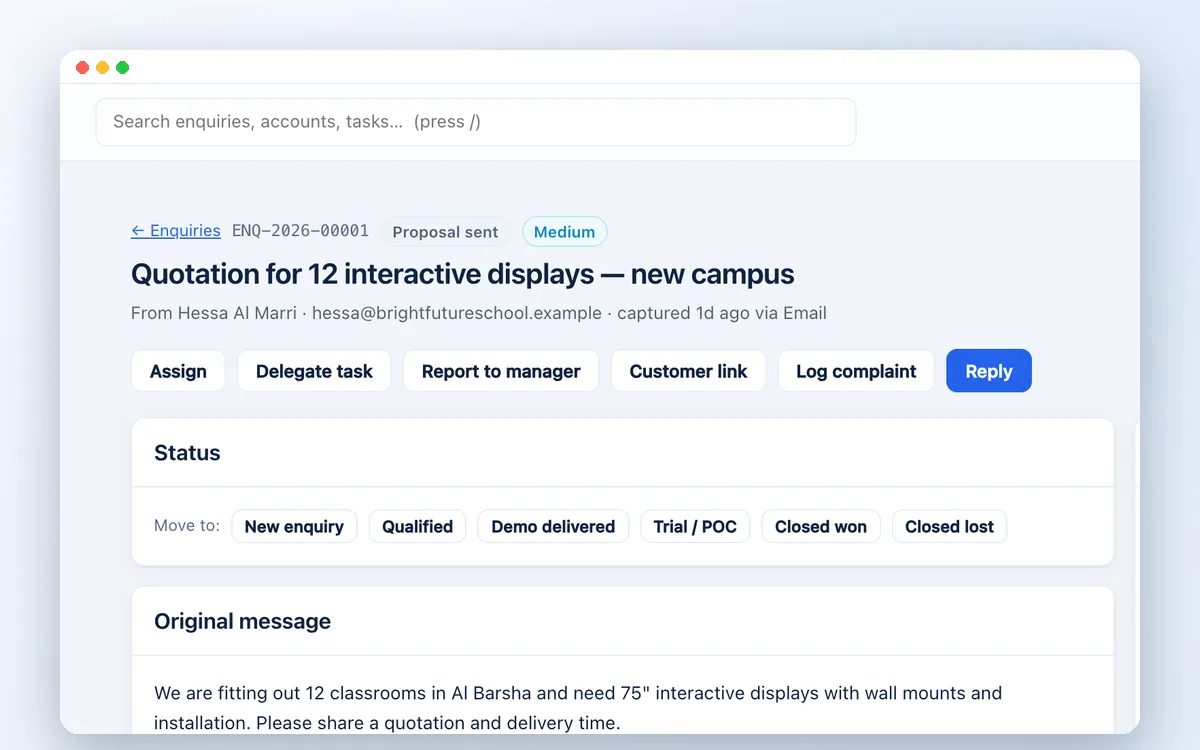
Keep contacts, companies, communication and next steps connected so your team can pick up where the conversation left off.
Contact and company records; internal notes and attachments; activity timelines; tasks and reminders; reply templates; reviewed duplicate merges; global search.
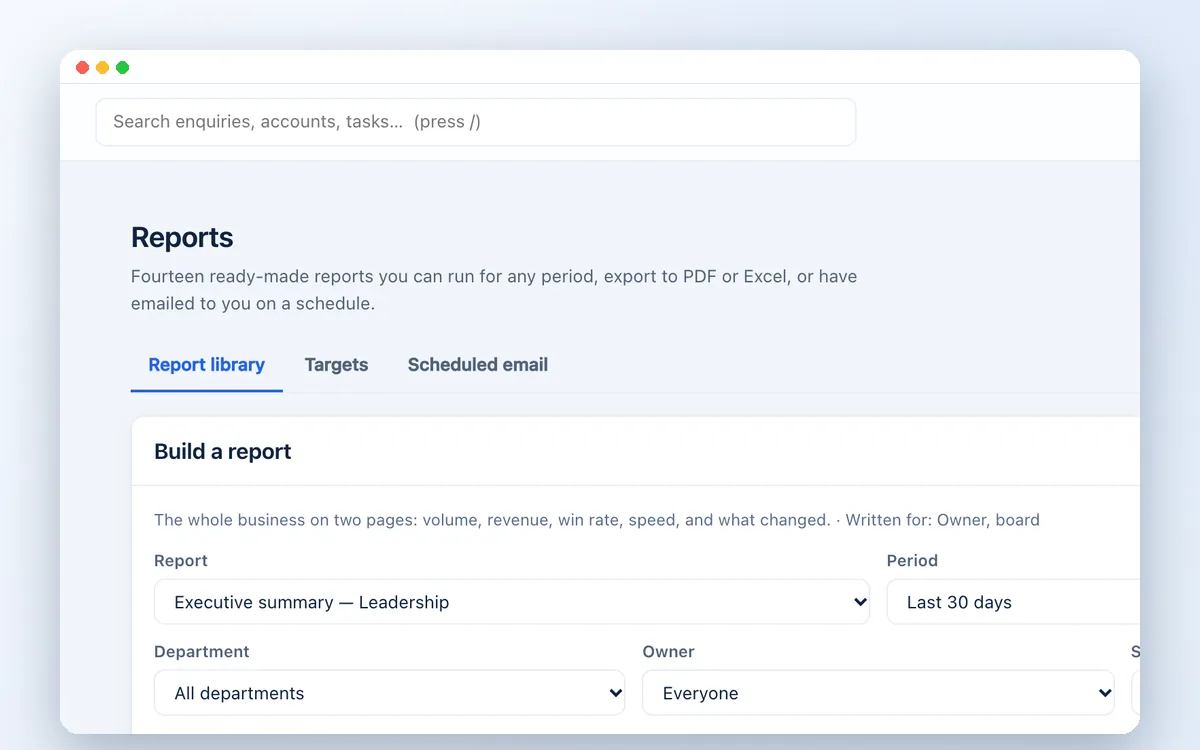
Understand pipeline health, team performance, response times and revenue with a library of 14 reports.
Forecasts, conversion funnels, source analysis, loss reasons and board packs; targets and saved reports; scheduled emails; PDF, Excel, CSV, HTML and JSON exports.
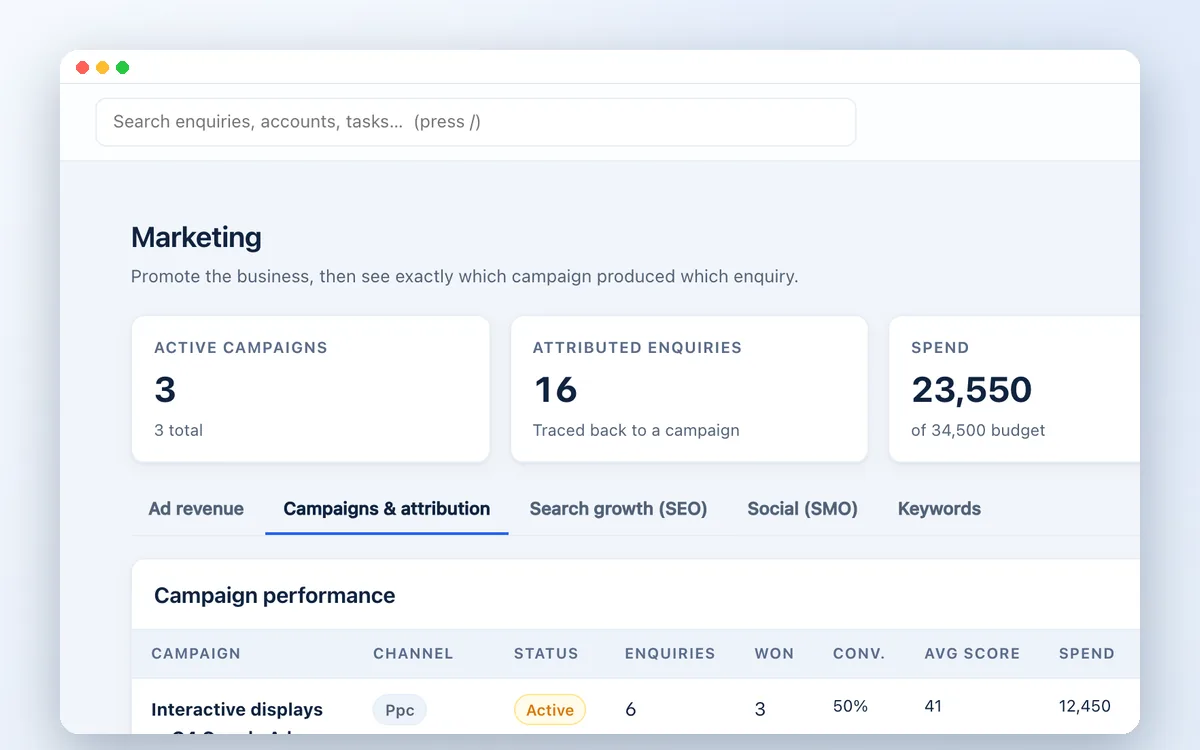
Track campaigns, spending and enquiry attribution to understand which activity brings opportunities into your business.
UTM tracking links; Google and Meta click attribution; Click-to-WhatsApp attribution; cost-per-enquiry and conversion reporting; campaign budgets and spend.
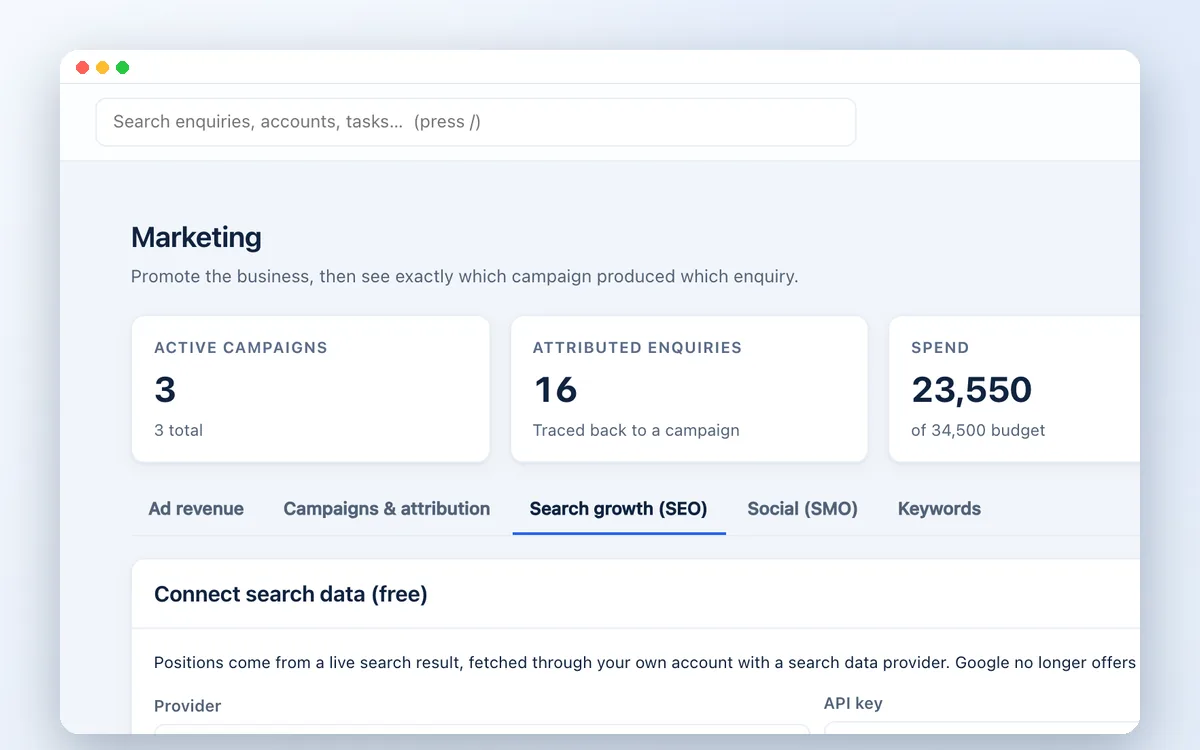
Review website pages, compare selected competitor URLs, and organise improvements for human approval.
Page audits; SEO and social-content recommendations; content briefs; first-party demand insights; reviewable fix suggestions; keyword records and social-post planning.
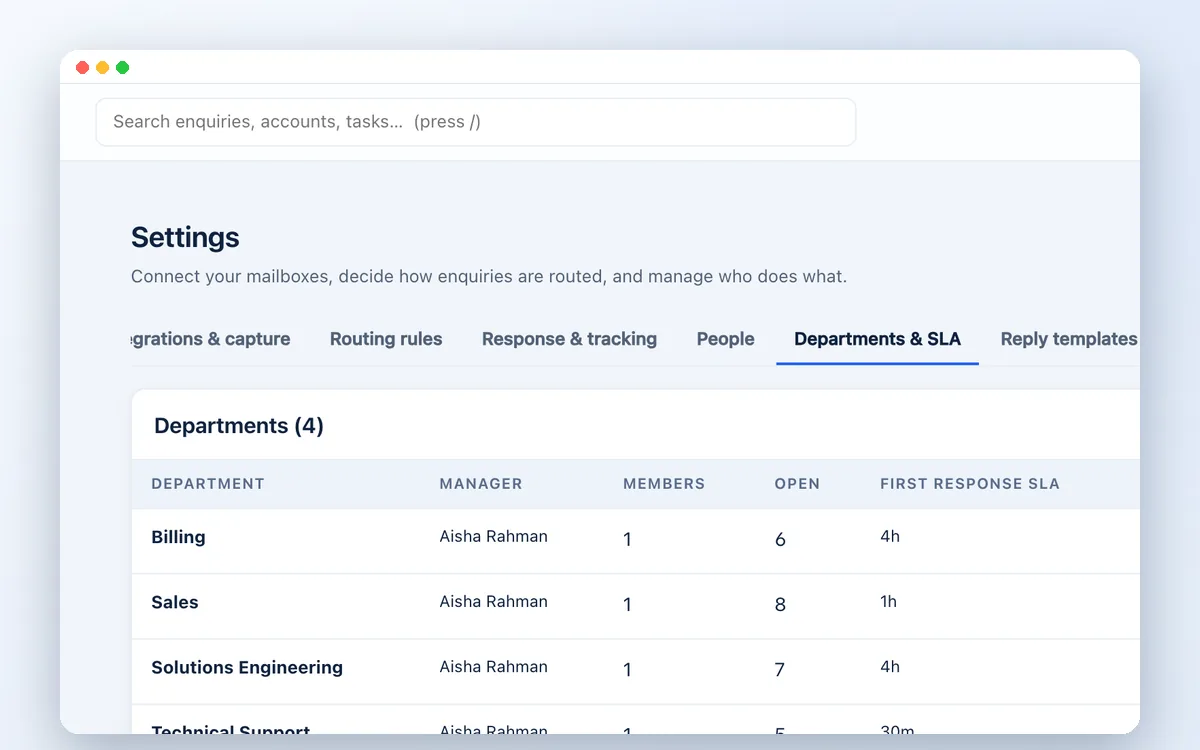
Configure a workspace around your brand, team structure and business responsibilities.
Logo, colours and report branding; invitations; owner, admin, manager and agent roles; department and individual visibility; notifications and audit history.
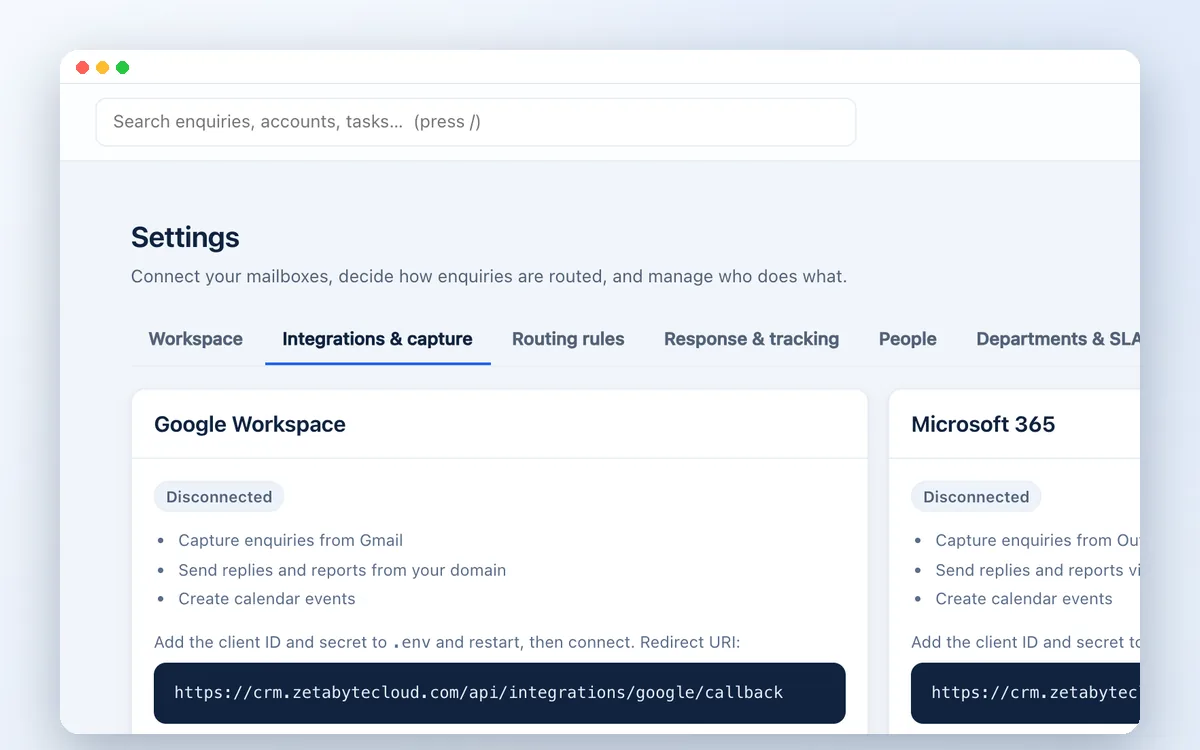
Connect the services your business uses, with controlled access and integration settings.
Microsoft 365 and Google Workspace mail and calendar connections; API keys and outbound webhooks; WhatsApp Business and DocuSign integrations.
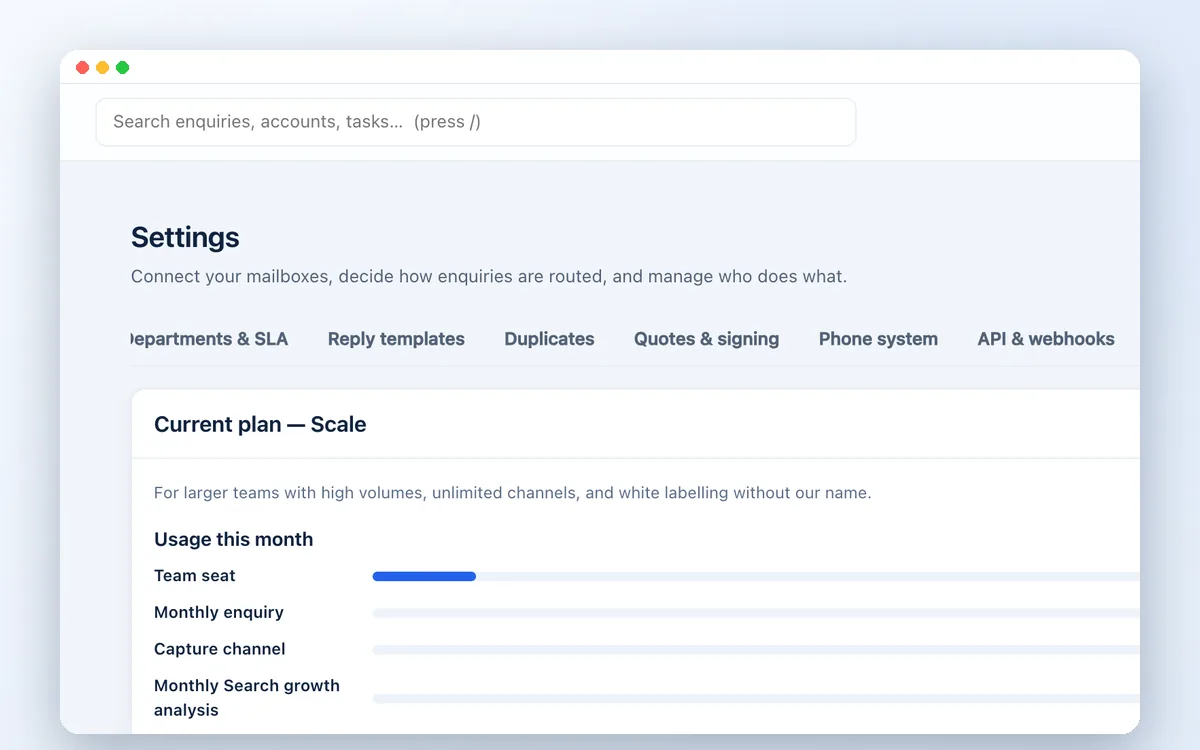
Manage workspace access and subscription administration from the same platform.
Two-factor authentication; email verification and password reset; workspace data export and deletion controls; usage and plan limits; invoice history; Stripe, Paddle or manual billing configuration.
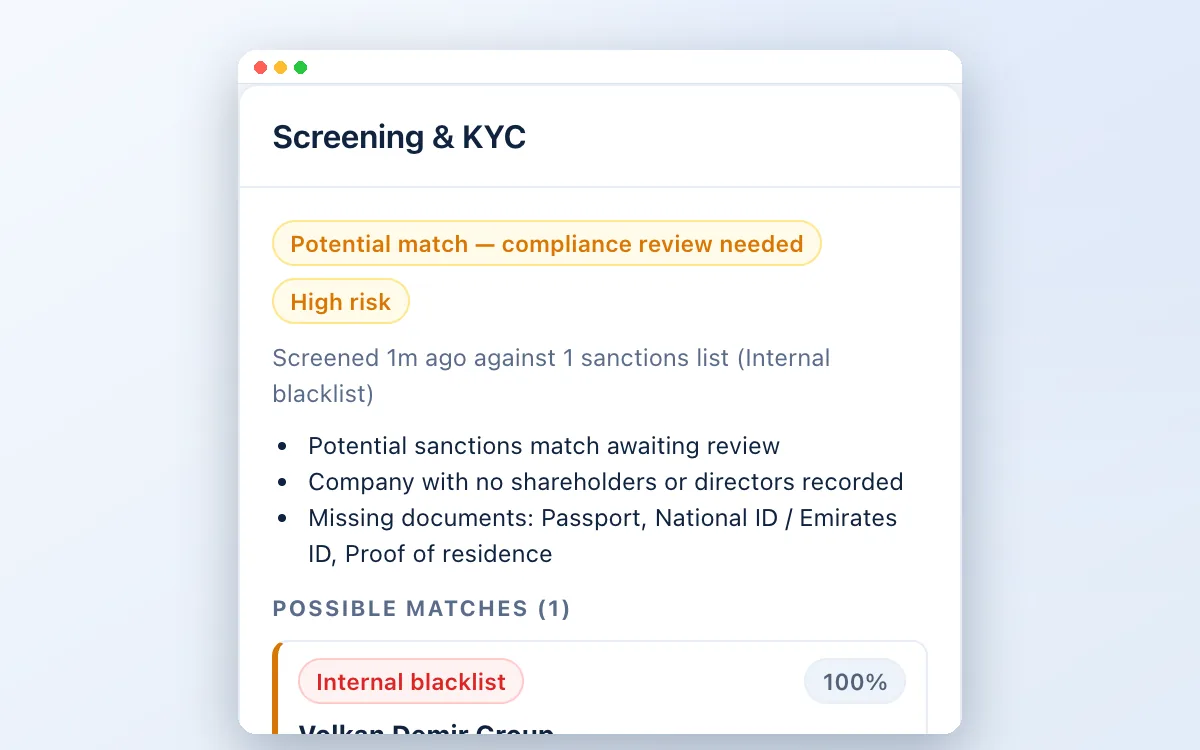
Screen clients, companies and their owners against sanctions lists, PEPs, criminal watchlists and adverse media, with country risk and conflict checks. Learn more
UN, US OFAC and EU lists updated automatically; UAE Local Terrorist List upload; PEP and watchlists via OpenSanctions; adverse media; police clearance tracking; compliance review and approval gate; name search across all lists.
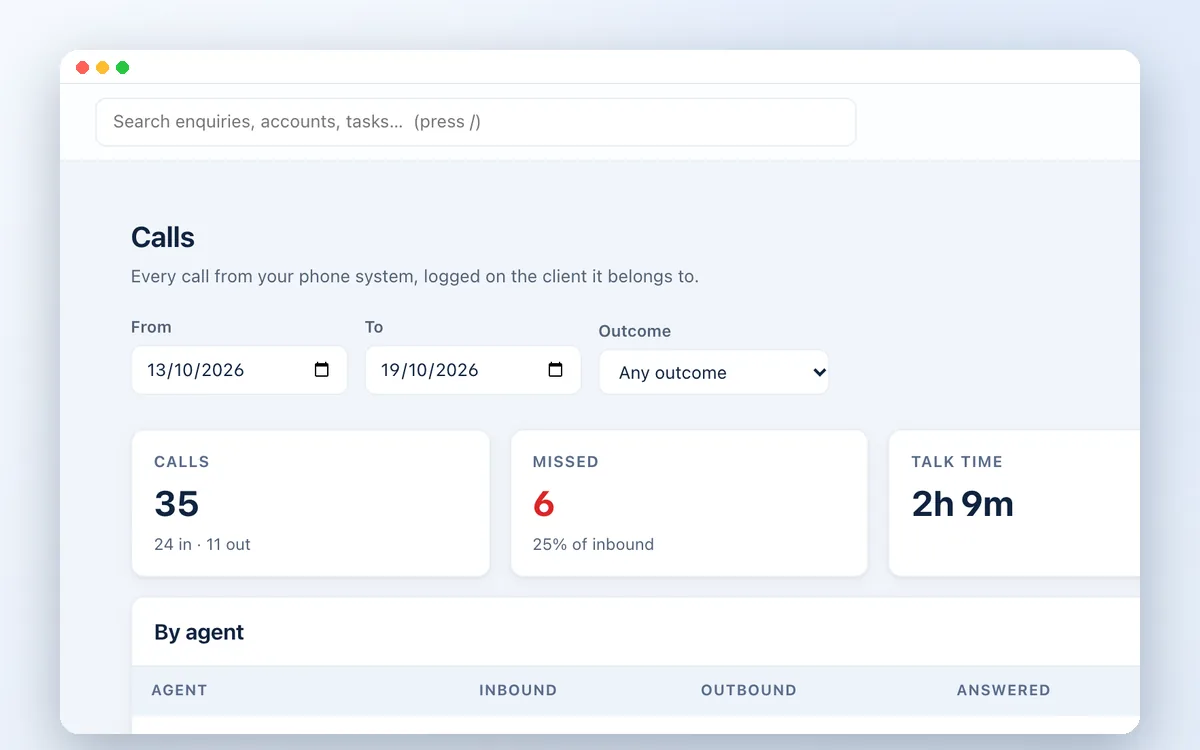
Connect your cloud phone system so every call is logged on the right client, with recordings and call-back tasks for missed calls. Learn more
Aircall, Yeastar and 3CX connections and a generic webhook; automatic number matching; missed-call tasks; click-to-call; call reports per agent.
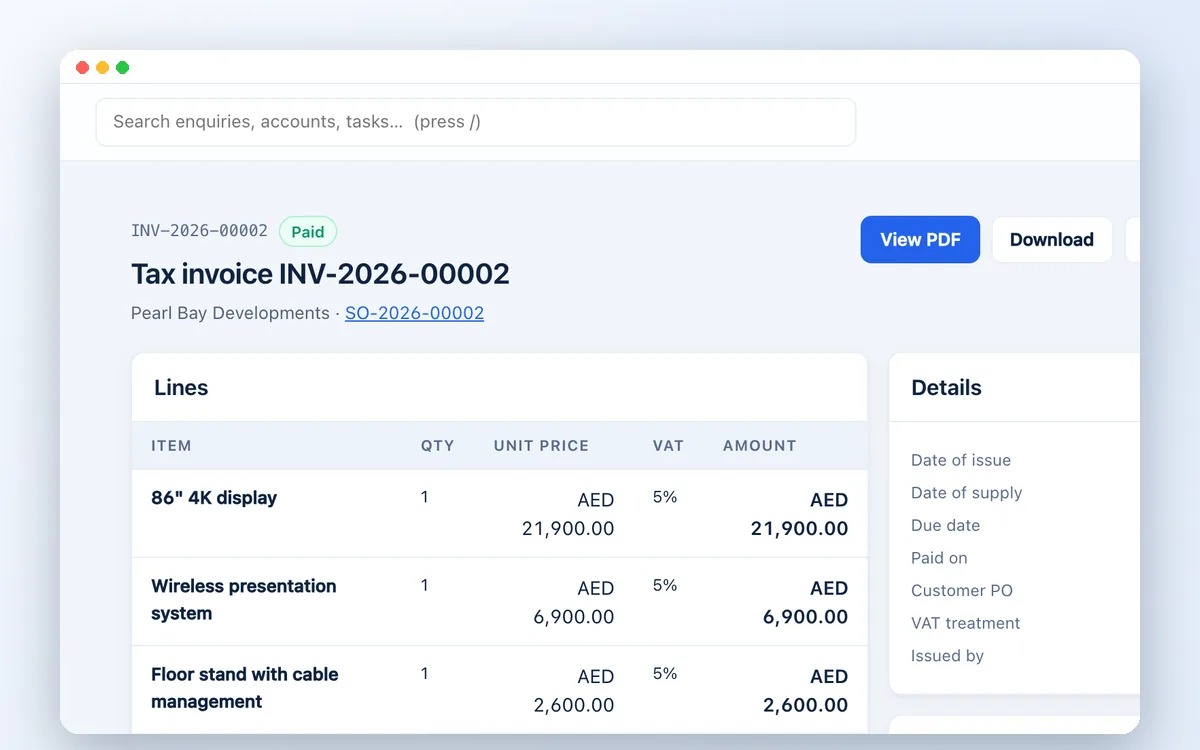
Turn accepted quotations into sales orders, then UAE tax invoices in the FTA format, and keep client TRN and trade licence details with their expiry dates. Learn more
Sales orders with cost and margin; customer PO reference; UAE tax invoices with both TRNs, AED amounts and exchange rate; full and partial tax credit notes; invoices emailed with the PDF attached; plain invoices for businesses that are not VAT registered; PINT AE e-invoice file for your accredited service provider; TRN and trade licence fields; editable quotation header, footer and colour.
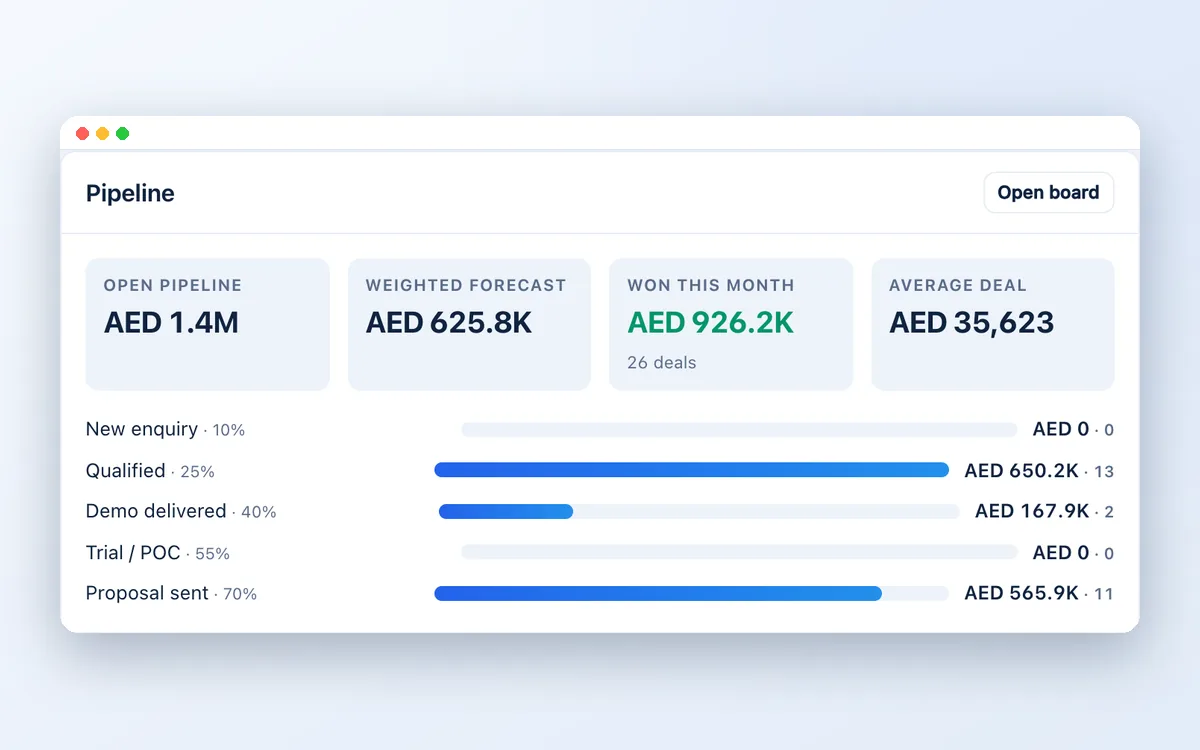
See where the money is and which deals need a push, so nothing goes quiet without anyone noticing.
Open pipeline value by stage; weighted forecast; won this month; going-cold and no-next-step alerts; quick views; bulk assign, stage and follow-up changes.
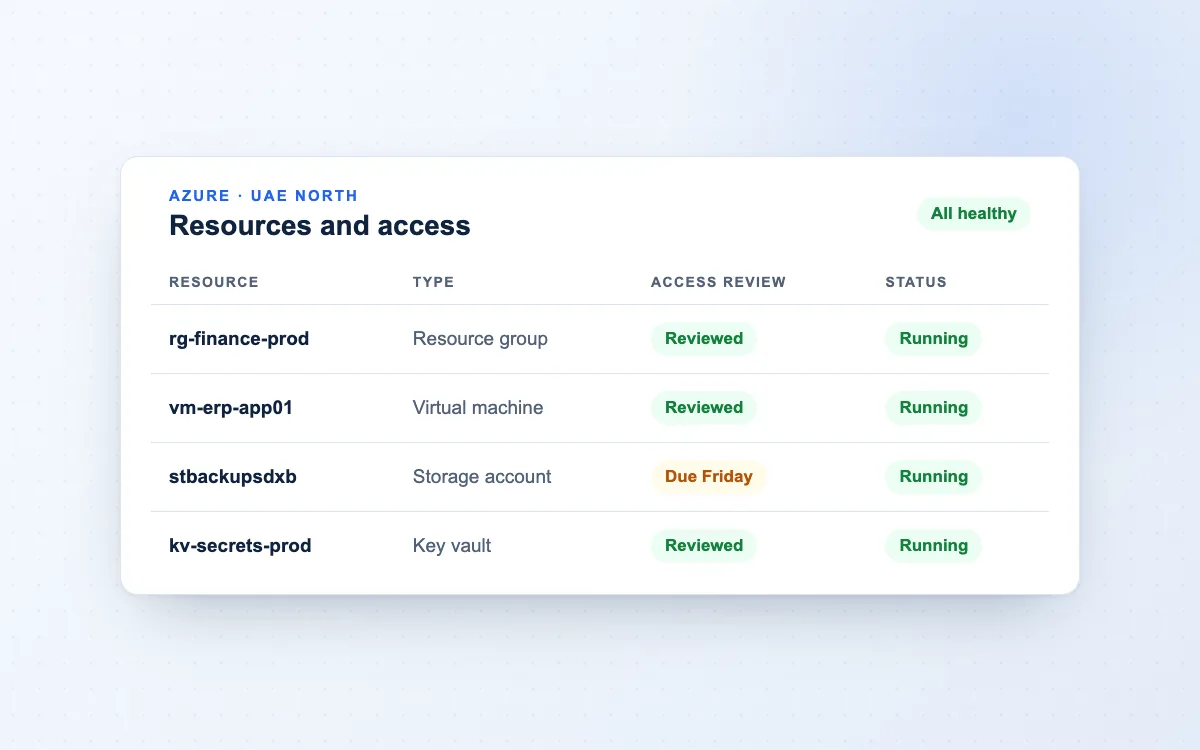
Use the hosted service, or install the CRM in your own cloud with unlimited users under a yearly maintenance agreement.
Private installation in Microsoft Azure UAE North or AWS; nightly backups; versioned updates; phone-friendly layout with home-screen install; dark mode; Ctrl+K command palette.
Built to fit your business. Industry starting points include professional services, legal, healthcare, real estate, construction, education, IT, retail, hospitality, logistics and more.
External connections require the relevant provider account, permissions and configuration. Social tools support planning; direct network publishing requires additional integration. Keyword positions are entered or imported. SEO recommendations are reviewed and applied by your website team.
Built around your operation
Start with an industry blueprint and adapt pipeline stages, terminology and fields. Relevant starting points include professional services, real estate, healthcare, construction, hospitality, logistics and IT.
Features and usage allowances depend on the selected plan. Check the live pricing page for current availability and discuss configuration needs before getting started.
Compare current CRM plansA few useful answers
The platform supports Microsoft 365, Google Workspace and WhatsApp Business connections. Provider accounts, permissions and configuration are required.
Website capture, API submissions and webhooks support integration workflows. Your requirements and access permissions should be reviewed before implementation.
The live pricing page at crm.zetabytecloud.com contains the current plans and allowances. Use the pricing button to review them.
Yes. Our cloud, identity, infrastructure and automation services can complement the CRM. Services are scoped separately around your business requirements.
Yes. Clients and related parties are screened against UN, US OFAC and EU sanctions lists automatically, the UAE Local Terrorist List can be uploaded, and PEP, watchlist and adverse media checks can be connected.
Yes. Aircall, Yeastar and 3CX have ready connections, and other systems can send calls through a documented webhook format.
Yes. Larger teams can run a private installation in their own Azure or AWS account, with unlimited users and yearly maintenance.
Solutions by need
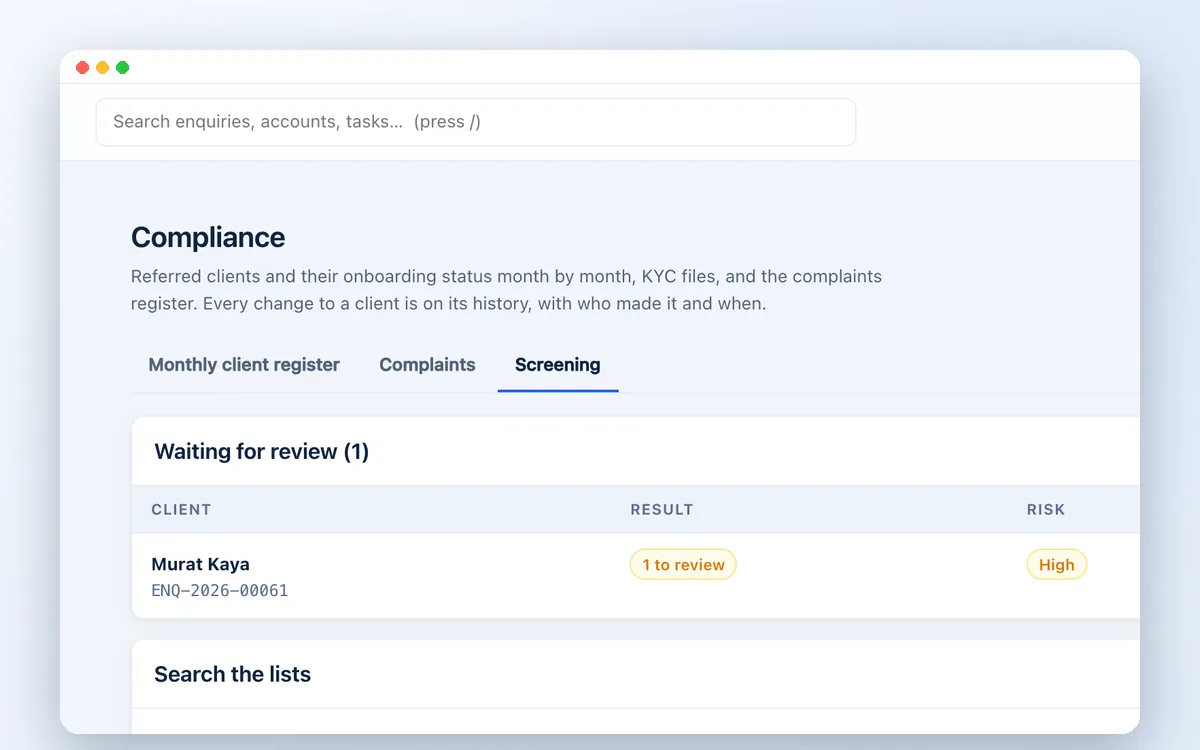
Screen every client against UN, US OFAC, EU and UAE sanctions lists, PEP and criminal watchlists and adverse media, inside your CRM. Built for UAE compliance teams.
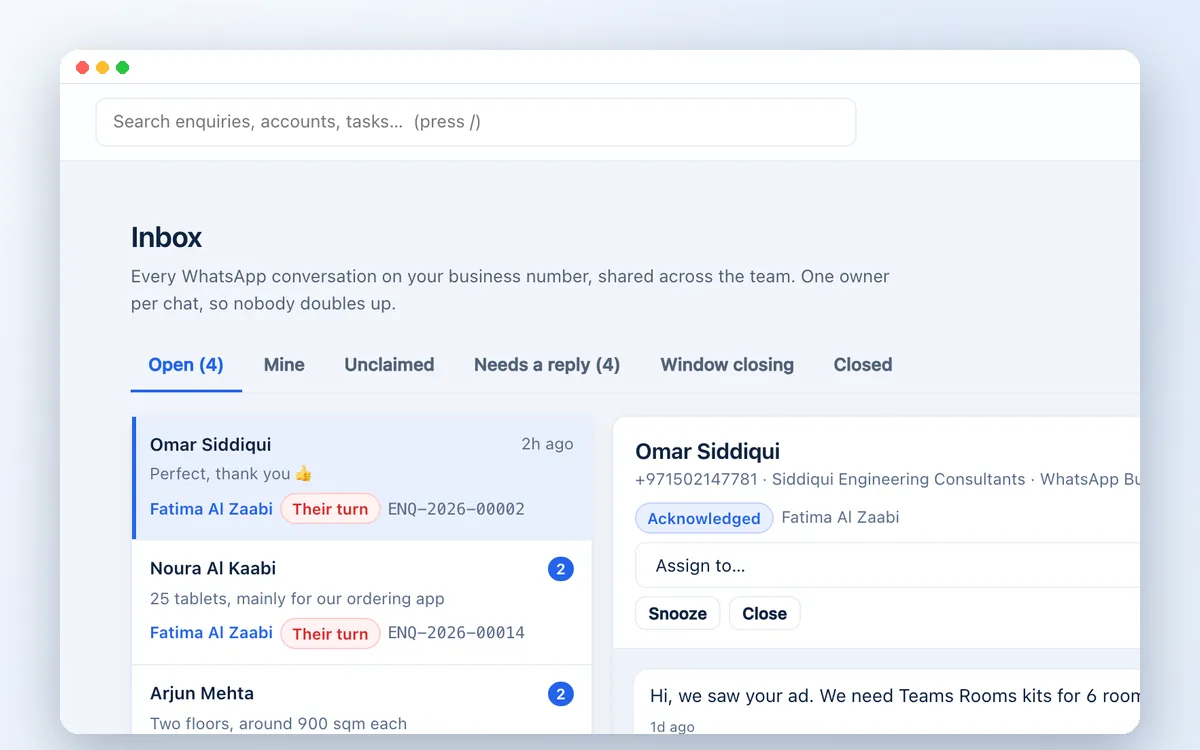
Run WhatsApp sales and support from one shared business number. Assign chats, track follow-ups and turn conversations into quotes with Zetabytecloud CRM.
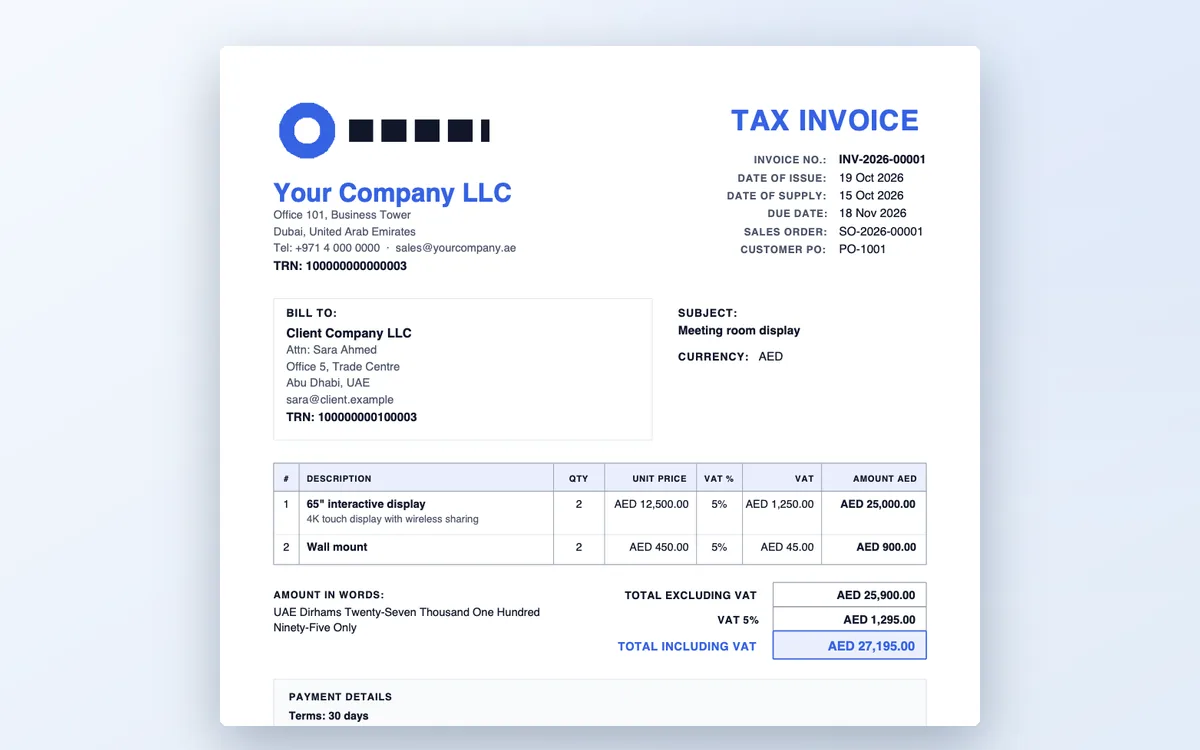
A CRM for UAE trading companies: enquiries, VAT quotations with your TRN, sales orders with margin, UAE tax invoices, client KYC and sanctions screening in one system.
Connect your cloud phone system to Zetabytecloud CRM. Every call logged on the right client, missed calls followed up, click-to-call and call reports per agent.
Planning your next step
Consider where enquiries arrive, who owns the response and how the team moves a conversation towards a quotation. Zetabytecloud CRM brings enquiries, conversations, contacts, quotations and reporting into a shared workspace, helping teams keep the next action visible.

Use the live CRM pricing page to compare current plans and included features. Check team size, channel requirements and any configuration or integration needs before selecting a plan. Contact us if you would like to discuss how the platform fits your workflow.

If your wider requirements include Microsoft 365, workplace automation or infrastructure changes, explore our IT services. Product subscriptions and any separate implementation or integration work should have a clear, agreed scope.
Related solutions
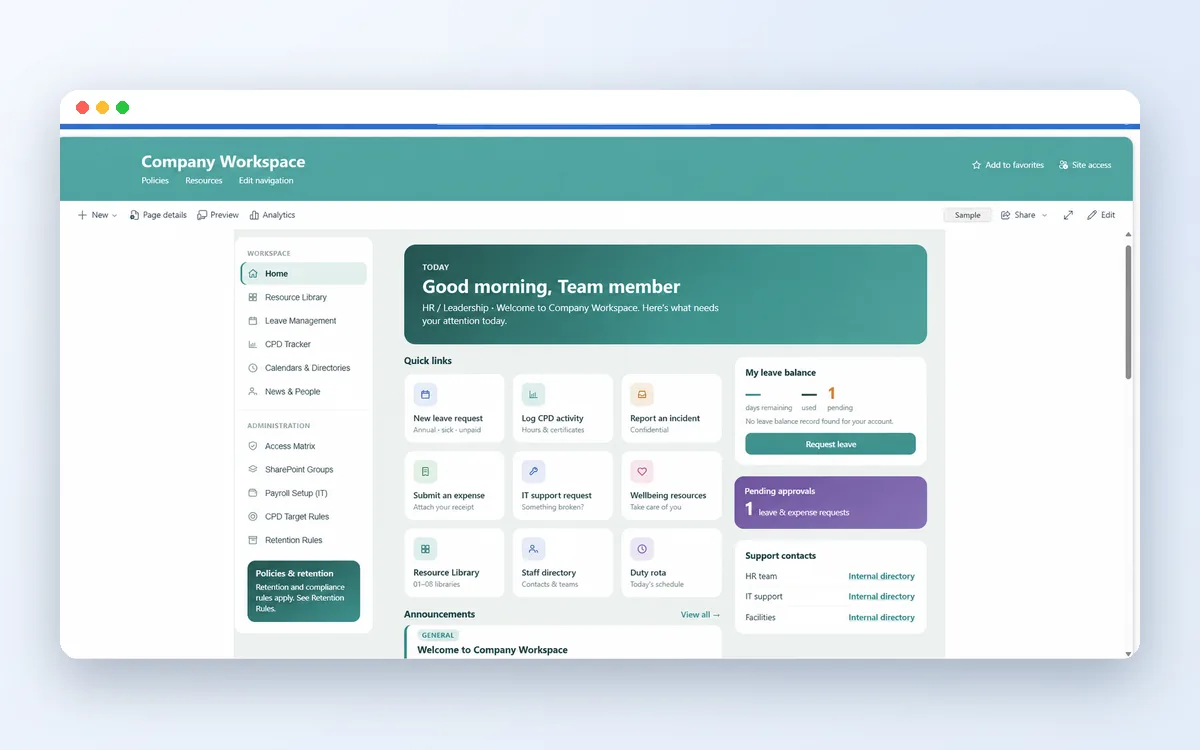
Explore SharePoint and Power Platform projects; integration is assessed separately.

Tell us your team size, enquiry channels and current follow-up process.
Let’s move your business forward
Tell us about your enquiry process, team and the tools you use today.