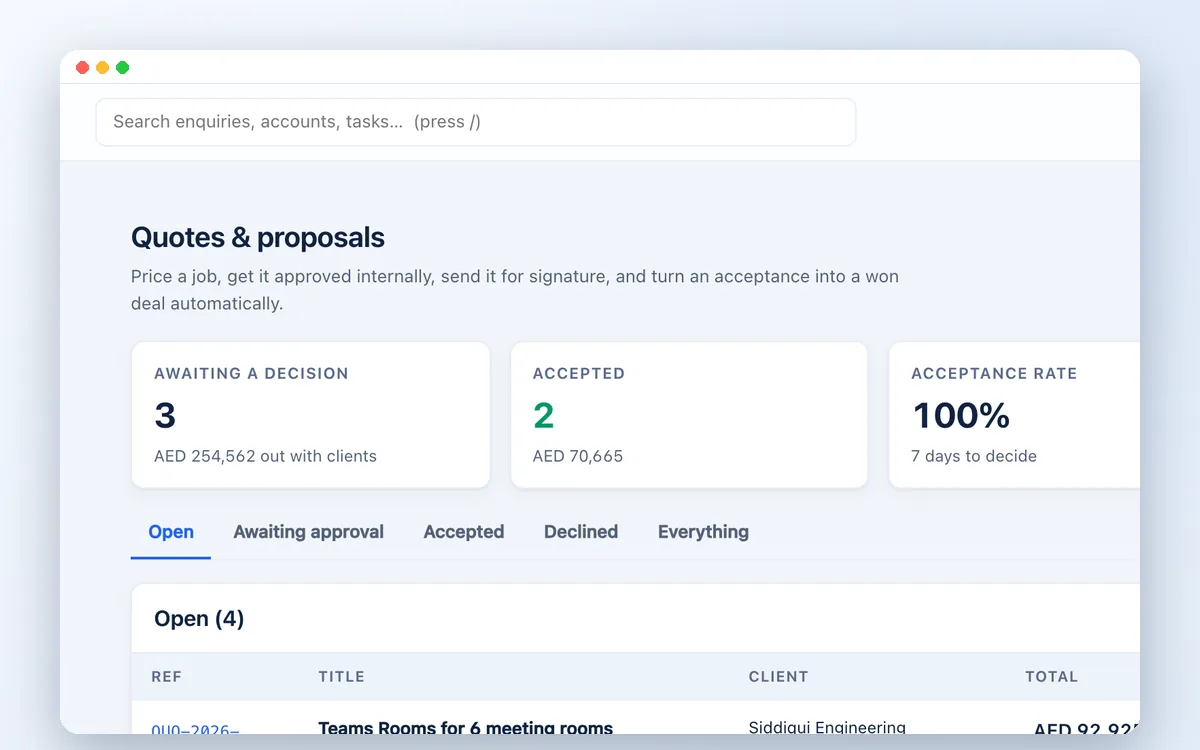
Quotations in minutes
Reusable price lists, discounts, optional items and UAE VAT at 5%. Send by email or WhatsApp; the client accepts online.

Built for UAE traders
Trading businesses juggle enquiries from email and WhatsApp, quotations with VAT, purchase orders and client checks. Zetabytecloud CRM keeps the whole chain together, from the first message to the sales order and the tax invoice.
Where deals get lost
In a trading company, the fastest quotation usually wins. When prices sit in spreadsheets and follow-ups sit in someone's inbox, quotes go out late and deals go quiet without anyone noticing.
Zetabytecloud CRM gives every enquiry an owner and a next step, builds VAT-correct quotations from your price list, and flags deals that are going cold before they are lost.
What is included
Reusable price lists, discounts, optional items and UAE VAT at 5%. Send by email or WhatsApp; the client accepts online.
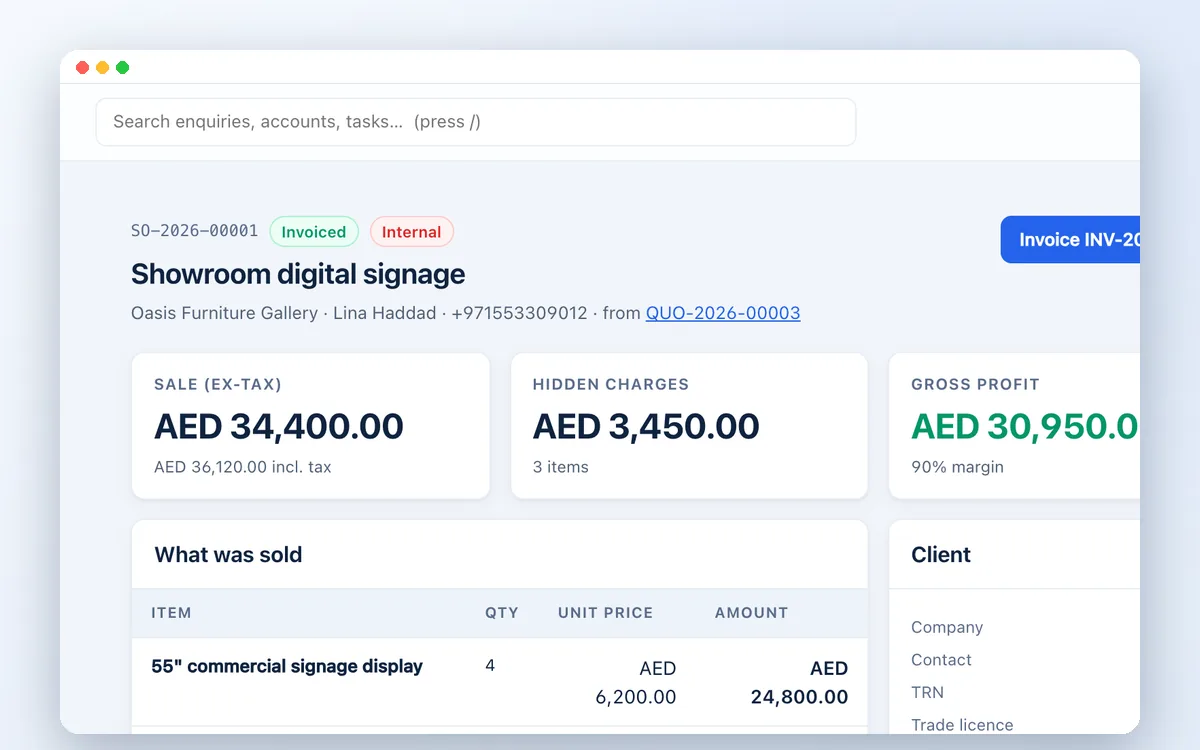
Turn an accepted quote into an internal sales order with cost, margin and the client's purchase order reference.
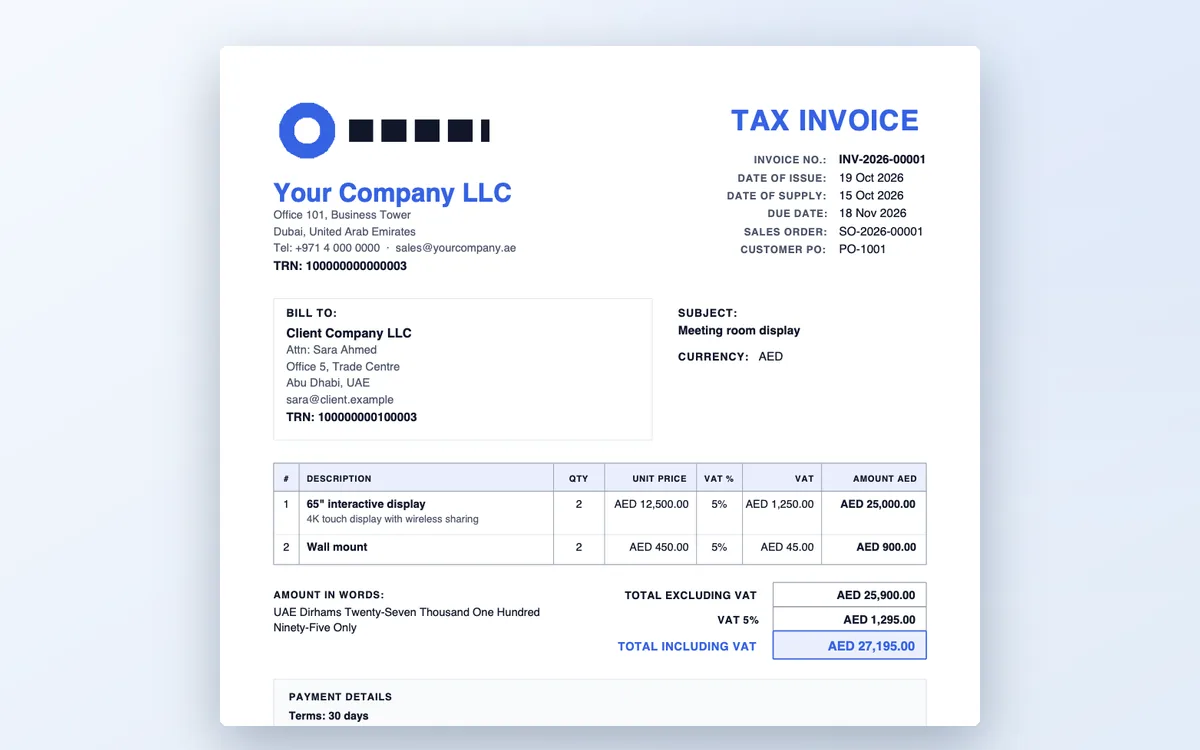
Issue tax invoices in the FTA format, email them to the buyer, and correct them with full or partial credit notes. Each one also downloads as a PINT AE e-invoice file for your accredited service provider.
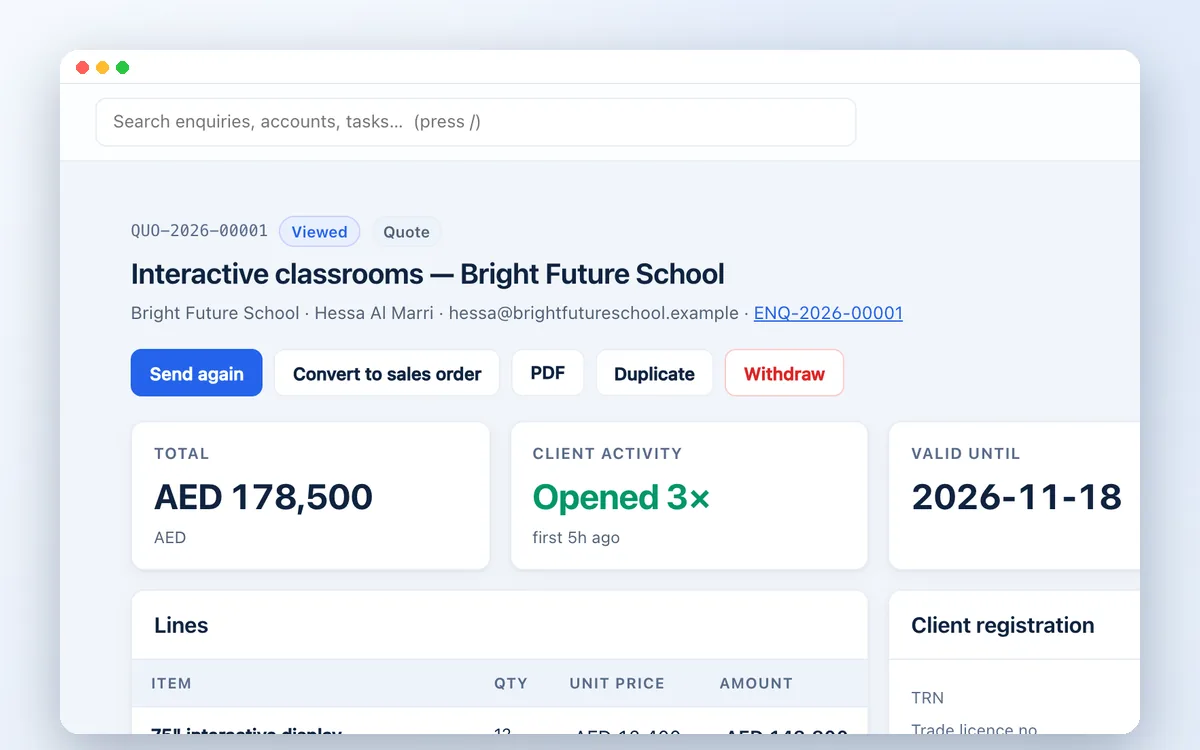
Keep each client's TRN certificate and trade licence with expiry dates, so renewals do not catch you out.
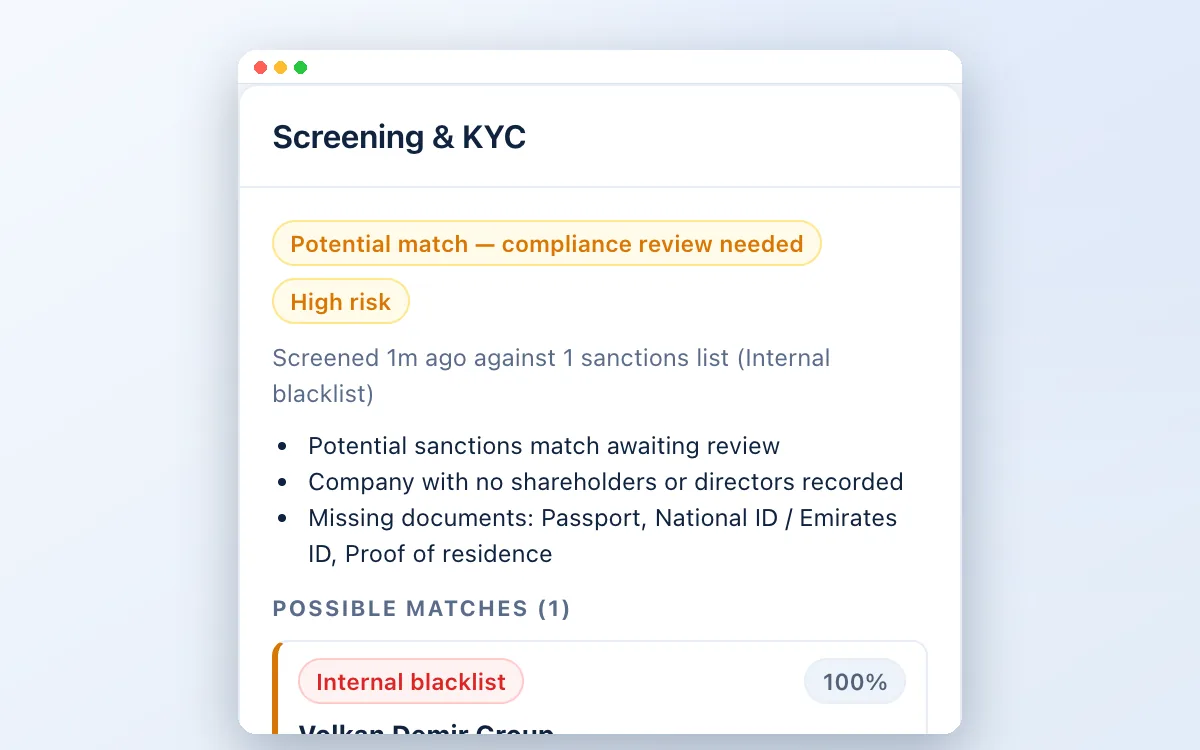
Screen buyers, their owners and their countries against sanctions lists and country risk before an order is confirmed.
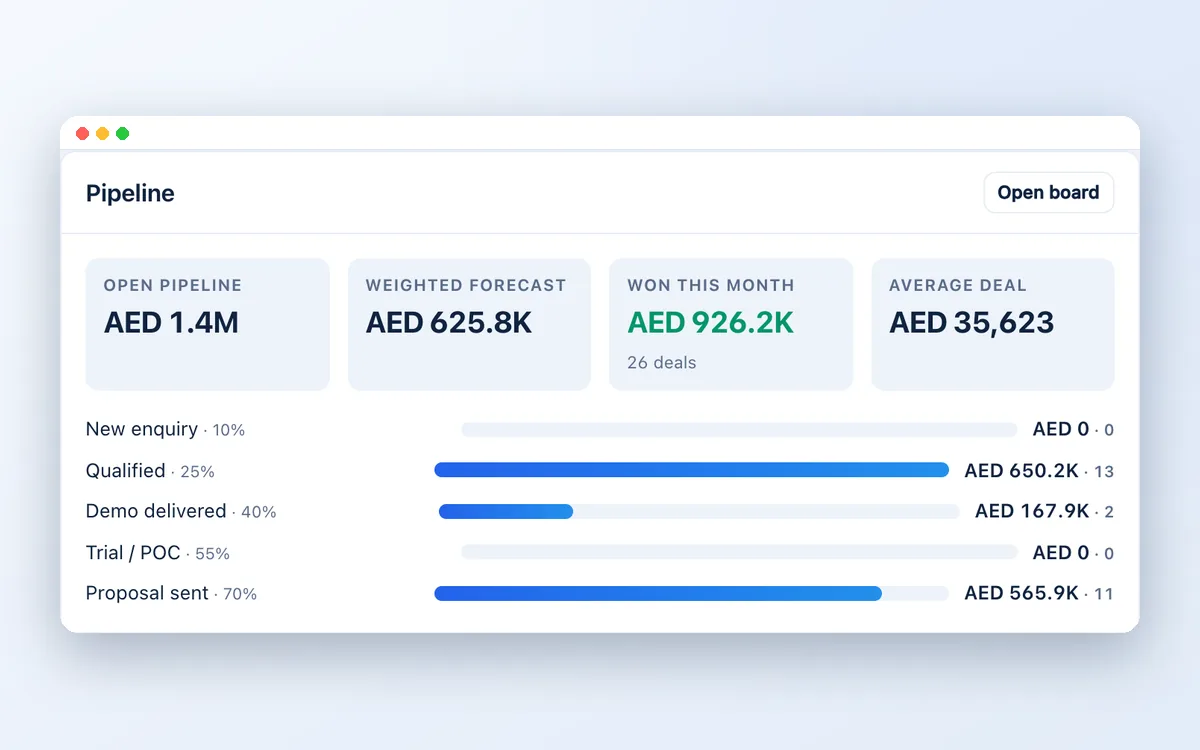
See open pipeline value by stage, a weighted forecast and what was won this month. Deals going cold are flagged.
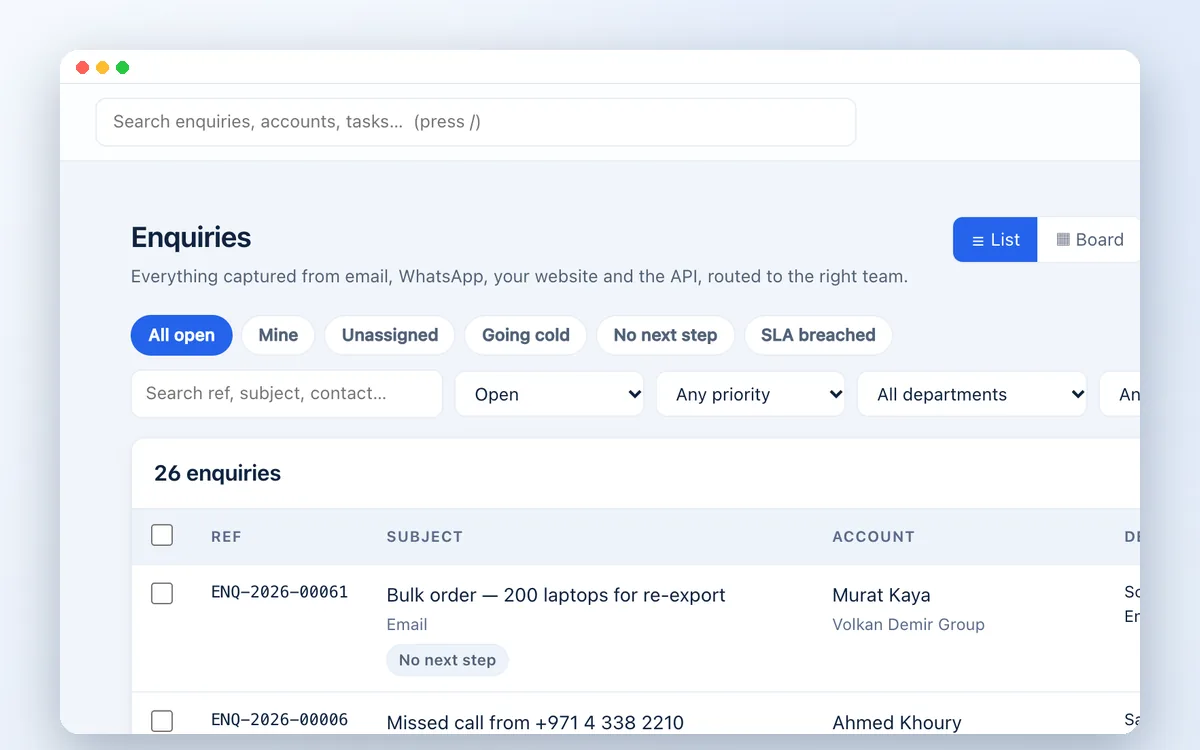
Email, WhatsApp, website forms and phone calls arrive in one list, routed by product line or region.
A typical deal
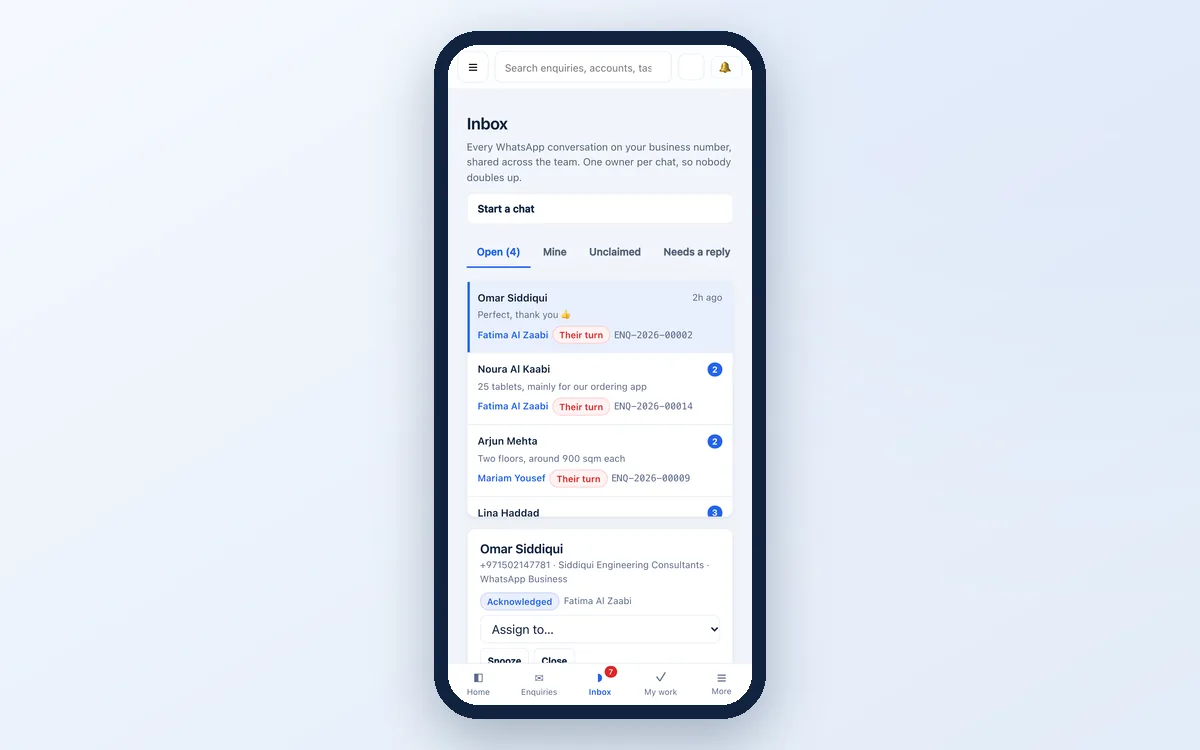
A buyer asks for prices by WhatsApp. It is logged and assigned automatically.
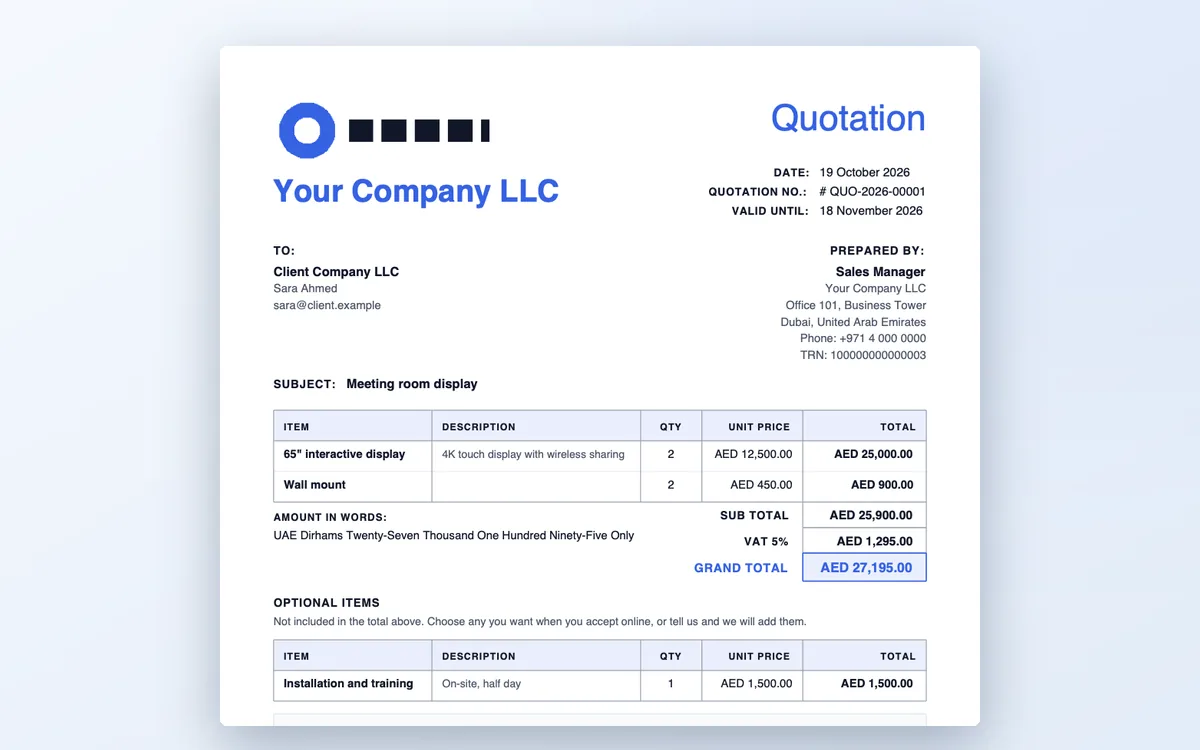
Your salesperson builds a VAT quotation from the price list and sends it the same hour.

The buyer accepts online. The deal moves to won and the value is recorded.
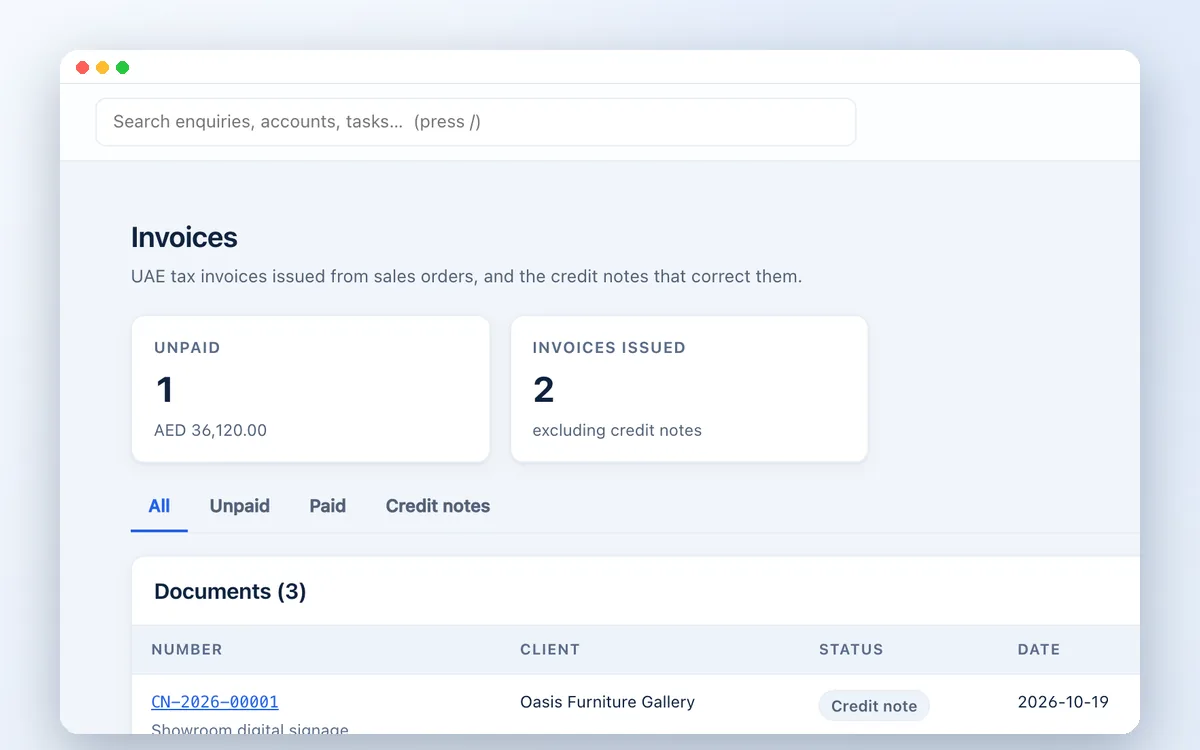
An internal order is created with cost and margin, then becomes a UAE tax invoice when the goods are delivered.
A few useful answers
Yes. Your company details, TRN and bank details print on every quotation, with VAT calculated per line and editable headers, footers and colours.
Yes. Quotations and invoices can be issued in the currency you choose. A UAE workspace starts in AED, and an invoice in another currency also shows the AED amounts and the exchange rate, as the FTA requires.
Yes. A sales order becomes a tax invoice with your TRN and the buyer's, a sequential number, the dates of issue and supply and the VAT on each line. Corrections are made with tax credit notes. Each invoice can also be downloaded as a PINT AE e-invoice file for your accredited service provider to send.
It depends on your goods, counterparties and regulator. Many trading companies are expected to screen customers against targeted financial sanctions lists. The screening module is available when you need it.
Yes. Each manager sees their own team's clients; agents see their own; compliance and administrators see everything.
Related solutions
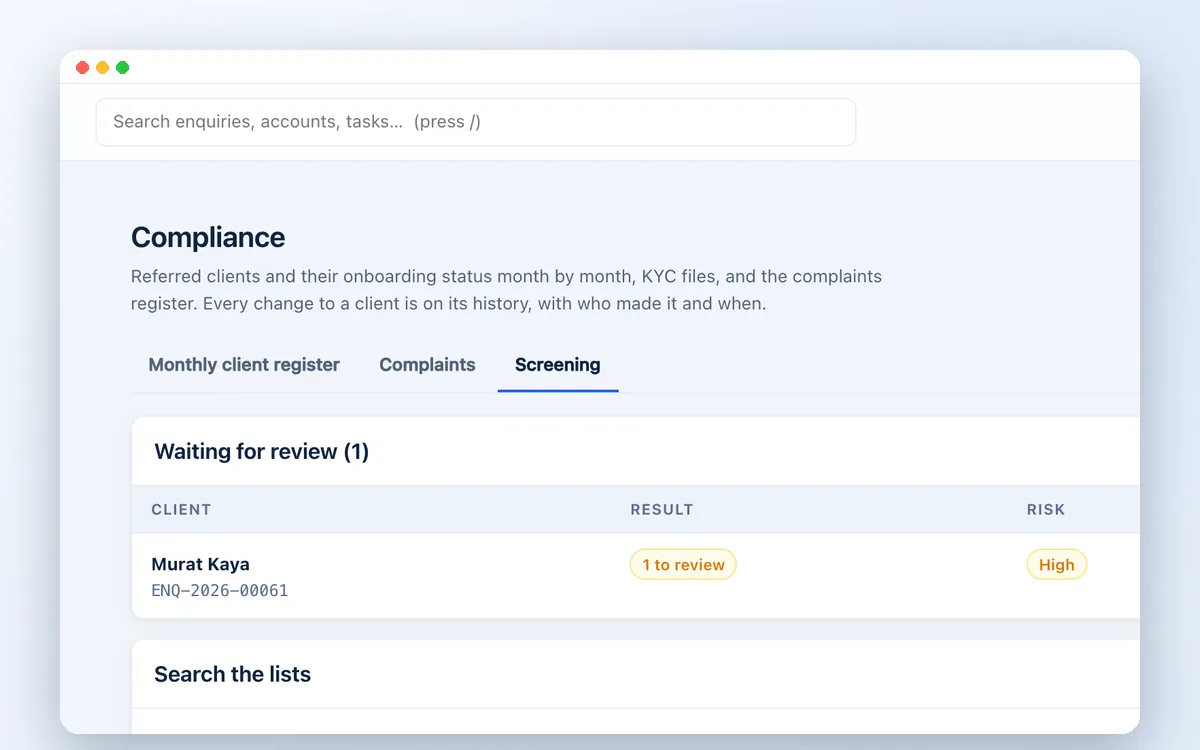
Screen every client against UN, US OFAC, EU and UAE sanctions lists, PEP and criminal watchlists and adverse media, inside your CRM. Built for UAE compliance teams.
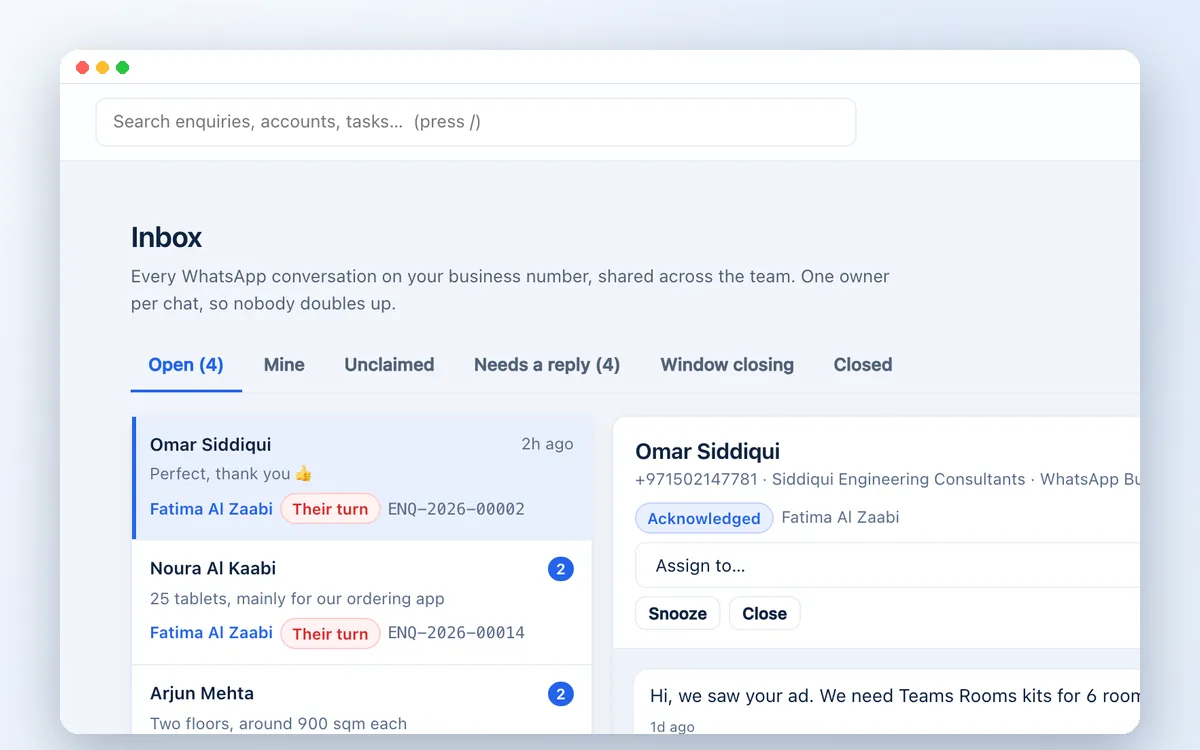
Run WhatsApp sales and support from one shared business number. Assign chats, track follow-ups and turn conversations into quotes with Zetabytecloud CRM.
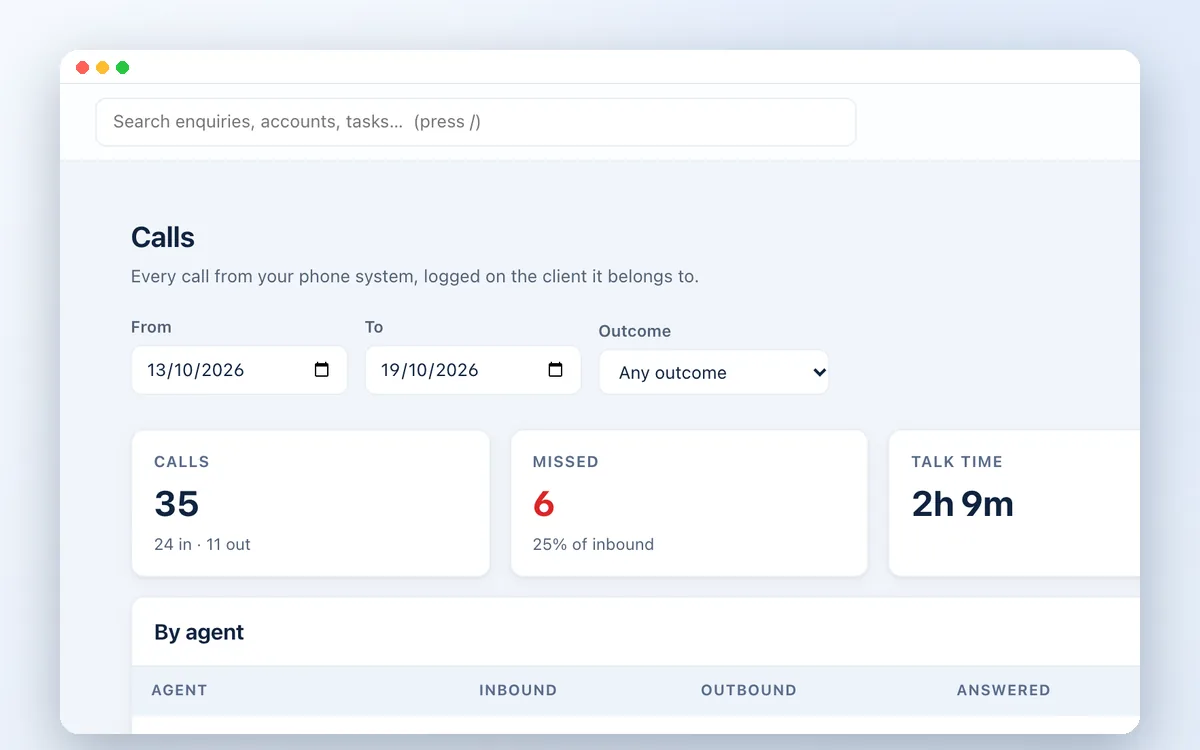
Connect your cloud phone system to Zetabytecloud CRM. Every call logged on the right client, missed calls followed up, click-to-call and call reports per agent.

Guides on UAE compliance, sales and CRM for growing businesses.
Watch the workflow
Follow an accepted quotation through the sales order and invoicing workflow.
Explore the complete CRM walkthrough ↗Follow an accepted quotation through the sales order and invoicing workflow.
Let’s move your business forward
Book a short demo. Tell us your team size, channels and what you need to check.